

When a Samsung dryer not heating interrupts laundry routines, even a simple load of clothes can become a source of frustration.
This situation is among the most frequently reported problems among Samsung dryer owners, often discussed in repair communities and service-call reviews.
Feedback from appliance technicians and long-term users highlights recurring heating-related failures that appear across multiple models.
This can focus on expert observations and user experiences to explain why Samsung dryers are not heating and how they typically present.
It covers common causes, overlooked warning signs, and early checks that may prevent larger repairs.
Homeowners, renters, and anyone who depends on a Samsung dryer will find clear guidance to support informed decisions and reduce unnecessary downtime.
Understanding the Samsung Dryer Heating System
Samsung dryers use separate systems for movement and heat, which is why heating issues can occur while the dryer is still running.
Electric models use a heating element to warm air before it circulates through the drum, with thermostats and thermal fuses controlling temperature for safety.
Gas dryers produce heat using an igniter, gas valve, and flame sensor that work together during each cycle.
When any heating component fails, warmth stops, but operation continues.
Because the motor operates independently, the drum can keep spinning even when heat production has stopped, which often makes the problem harder to identify during early checks.
Troubleshooting Tips for a Samsung Dryer Not Heating
This simplified step-by-step guide follows the exact repair process shown in the video, narrowed down to the most important stages, with timestamps included for accurate screenshots.
Step 1: Unplug the Dryer and Safely Remove the Top Panel
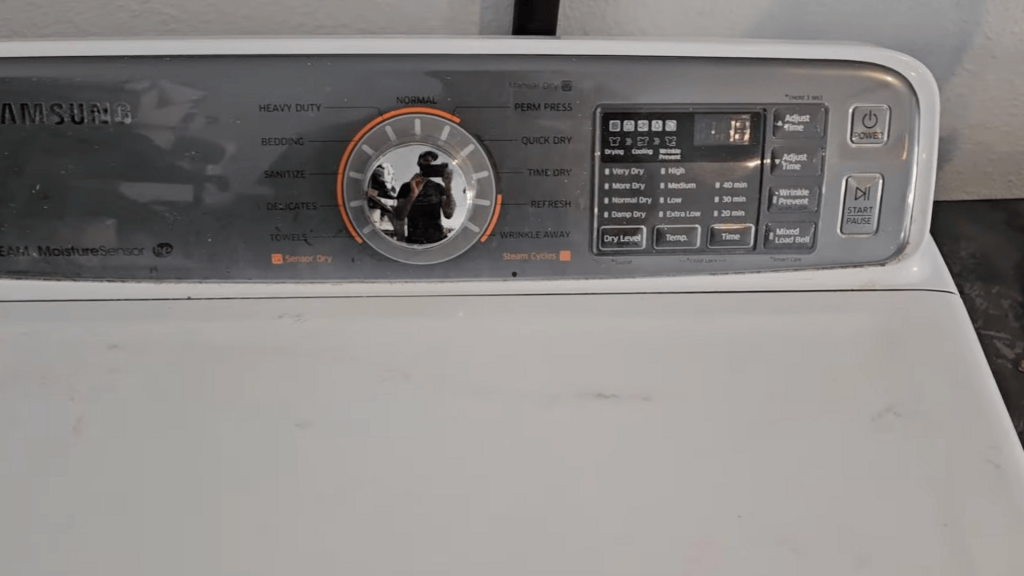
Before starting any repair work, disconnect the Samsung dryer from the wall outlet.
Electric dryers use a 240-volt power supply, so unplugging them is critical to prevent electric shock.
Once the power is disconnected, move to the back of the dryer and locate the two screws securing the metal brackets that hold the top panel.
Remove both screws completely. Lift the back edge of the top panel slightly, then push it forward to release the internal clips.
Step 2: Take Off the Front Panel and Disconnect All Wiring
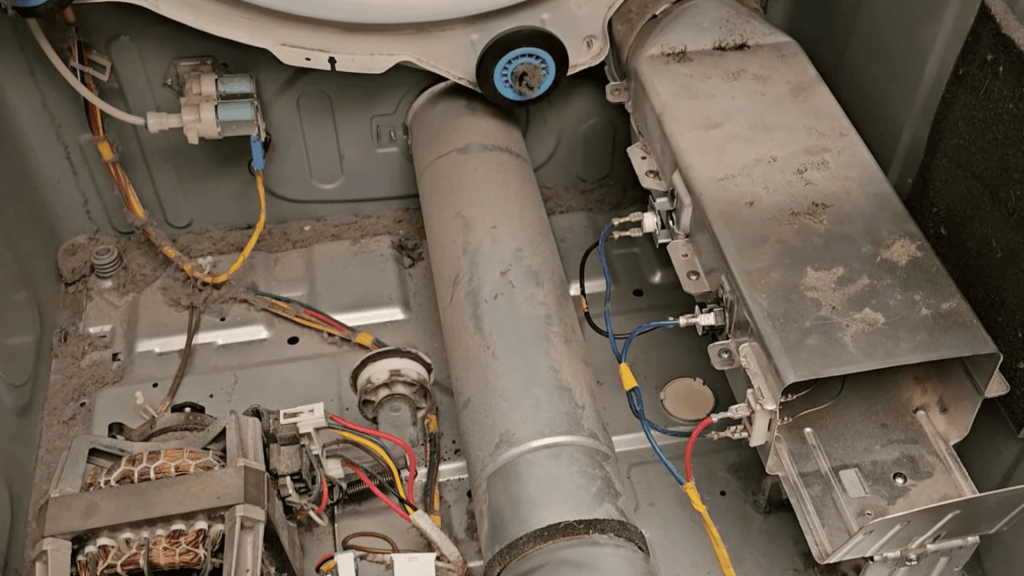
With the top panel removed, locate the three screws along the upper front edge of the dryer and remove them.
Open the dryer door and remove the three screws located inside the door opening.
Carefully lift the front panel upward to disengage it from the mounting clips.
Once the panel comes free, disconnect the door switch wiring harness if it is still attached.
Follow the wiring to unplug the drum light connector and the moisture sensor connector, ensuring all electrical connections are fully detached.
Step 3: Take Out Drum and Belt
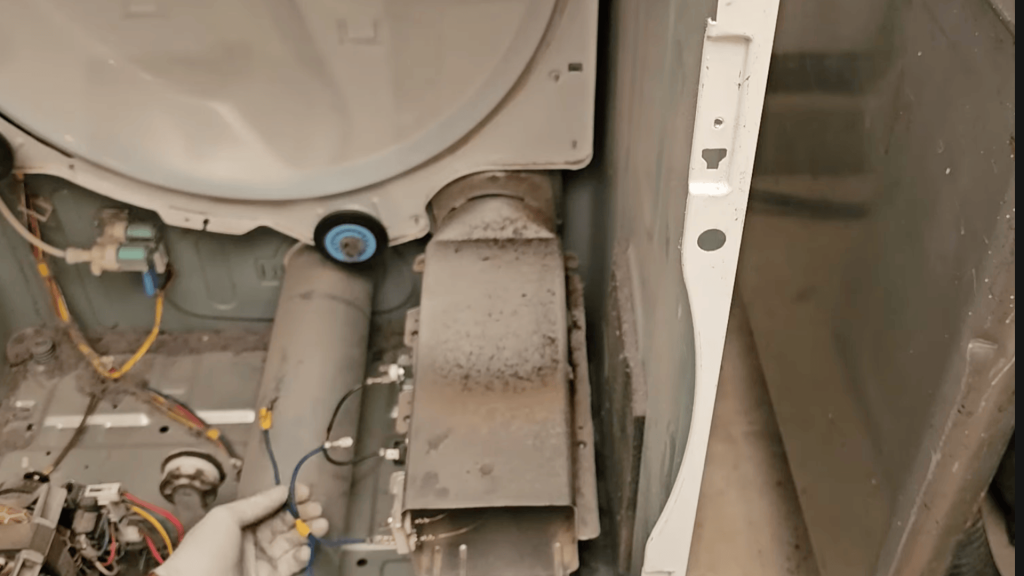
After disconnecting the wiring, remove the five screws securing the bulkhead and pull it away from the dryer cabinet.
Locate the drive belt wrapped around the drum, idler pulley, and motor pulley.
Push the idler pulley downward to release belt tension, then slide the belt off the motor pulley.
Once the belt is loose, carefully lift the drum straight out of the cabinet.
This step exposes the heating element housing and all related heating components for inspection and testing.
Step 4: Identify and Test the Heating System Components
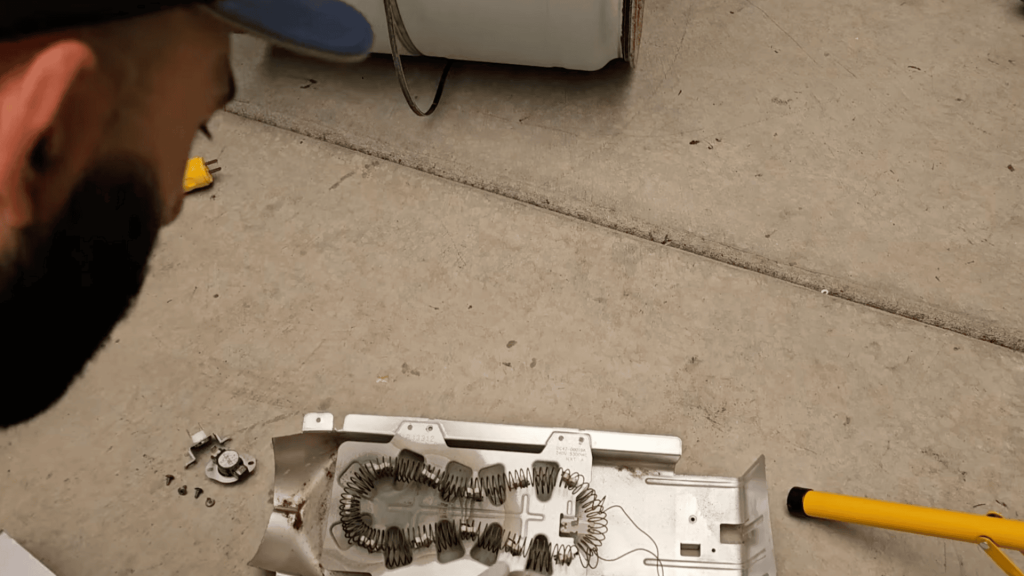
With the drum removed, identify the heating element, high-limit thermal cutoff, and thermal fuse mounted near the blower housing.
Set a multimeter to continuity mode and test each component individually. Touch the probes to the terminals of each part.
A continuous beep indicates proper electrical flow, while no sound signals a failed component.
In the video demonstration, both the heating element and the high-limit cutoff test are correct, but the thermal fuse shows no continuity, confirming the thermal fuse as the source of the heating failure.
Step 5: Replace the Faulty Heating Part
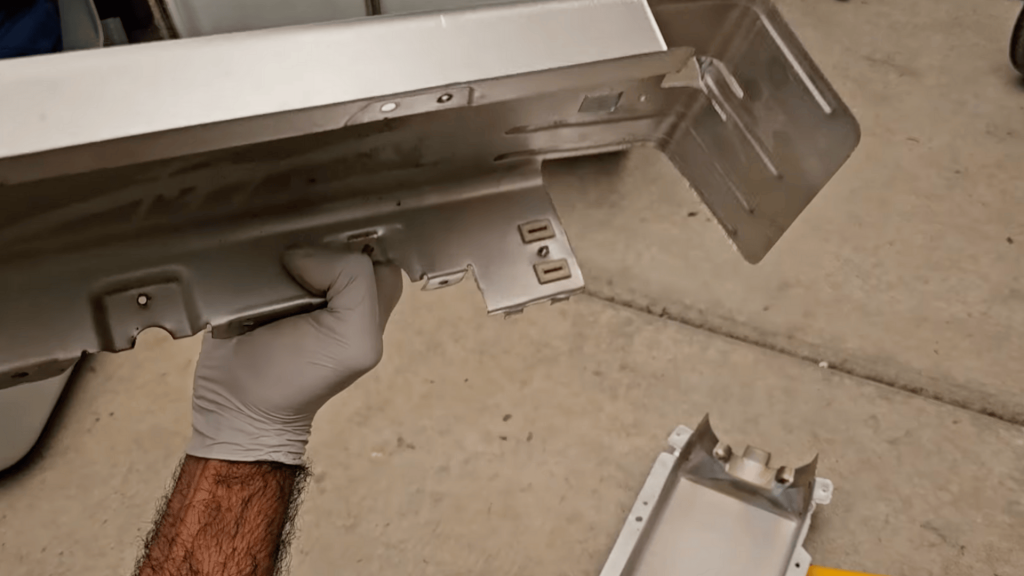
If the heating element or safety component is faulty, disconnect all wiring connected to the heating assembly.
Remove the mounting screws and slide the housing out of the dryer.
Take out the screws securing the metal casing, then straighten the retaining tabs holding the heating element in place using needle-nose pliers.
Slide the old element out and insert the replacement. Bend the tabs back to lock it securely.
Reinstall the thermostat and high limit cutoff if replacing them as part of a complete repair kit.
Step 6: Reassemble and Check Vent
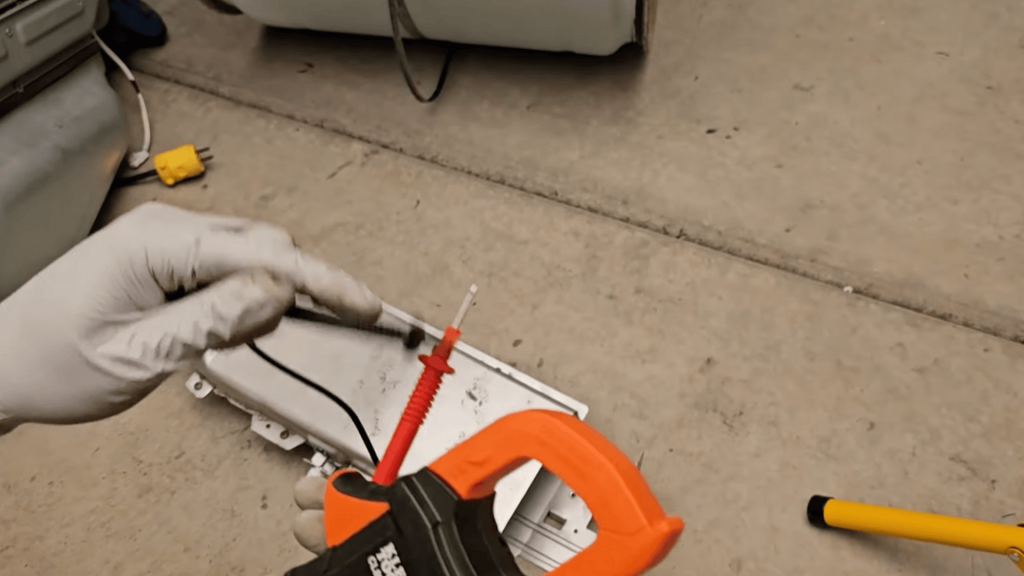
Before reinstalling the dryer components, use the multimeter to verify that the new heating element has continuity and is not grounded against the metal housing.
Once confirmed, reinstall the heating assembly, drum, belt, bulkhead, and front panel in reverse order. Reconnect all wiring harnesses securely.
Clean the lint filter thoroughly and inspect the vent hose for clogs, kinks, or buildup.
Proper airflow is essential, as restricted ventilation is one of the most common causes of repeated failures in Samsung dryer heating components.
This tutorial is based on a helpful video by. DuceTape Mechanic. You can check out the original video on their YouTube channel here or watch it below.
When Heating Issues Become a Safety Concern?
Heating problems can move beyond inconvenience and become a safety concern when warning signs appear.
A Samsung dryer not heating issue is usually linked to failed components, while overheating problems are often caused by restricted airflow.
Overheating presents a greater risk and requires immediate attention.
Signs such as burning odors, excessive heat on the dryer exterior, repeated cycle interruptions, or temperature-related error codes indicate the need for prompt repair.
Continuing to operate a dryer under these conditions can damage internal wiring, stress the motor, and cause additional component failures.
Addressing heating issues early helps reduce safety risks and prevents more extensive damage that can increase repair costs or shorten the lifespan of the appliances.
Common Feedback From Samsung Dryer Owners

Reddit owners report similar concerns across online forums, service reviews, and repair discussions.
One of the most frequent complaints involves dryers that run normally but fail to produce heat, leading to repeated service calls and frustration.
These reports often describe sudden heat loss without warning, even when the dryer appears well-maintained.
Patterns across popular Samsung dryer models point to recurring heating-related failures rather than isolated defects.
Owners commonly mention problems with heating elements, thermal fuses, and airflow sensitivity.
In some cases, the same issue returns shortly after professional repair, raising concerns about long-term reliability.
Many Samsung dryer owners also share detailed experiences in community discussions on Reddit, particularly in appliance repair threads.
Most Common Reasons a Samsung Dryer Is Not Heating
Several recurring faults can cause a Samsung dryer to stop heating without warning. These issues are commonly reported by owners and regularly identified by appliance technicians.
- Faulty heating element: In electric Samsung dryers, the heating element gradually wears out due to repeated heating cycles.
- Blown thermal fuse: The thermal fuse is a safety component designed to shut off heat when airflow is restricted or temperatures rise too high.
- Defective thermostat or thermistor: These parts regulate and monitor internal temperature. If readings become inaccurate, the dryer may disable heating to prevent potential damage.
- Control board-related heating failure: A malfunctioning control board can prevent power from reaching the heating elements, even though the dryer appears to operate normally.
- Gas valve or igniter issues in gas models: In gas dryers, a failed ignition or gas flow prevents flame production, resulting in no-heat cycles.
When Do Heating Issues Become a Safety Concern?
Heating problems can move beyond inconvenience and become a safety concern when warning signs appear.
A Samsung dryer not heating issue is usually linked to failed components, while overheating problems are often caused by restricted airflow.
Overheating presents a greater risk and requires immediate attention.
Signs such as burning odors, excessive heat on the dryer exterior, repeated cycle interruptions, or temperature-related error codes indicate the need for prompt repair.
Continuing to operate a dryer under these conditions can damage internal wiring, stress the motor, and cause additional component failures.
Addressing heating issues early helps reduce safety risks and prevents more extensive damage that can increase repair costs or shorten the lifespan of the appliances.
Dryer Heating Prevention Tips
Proper care and routine checks play a key role in preventing heating problems and extending dryer lifespan. These steps reflect common advice from technicians and experienced owners.
- Clean the lint filter after every drying cycle: Removing lint after each load helps maintain proper airflow.
- Schedule full vent and duct cleaning at least once a year: Regular vent cleaning prevents airflow restrictions that can trigger overheating.
- Check exterior vent openings regularly: Outdoor vents can become blocked by lint or debris, limiting air movement.
- Avoid overloading the dryer: Heavy loads restrict airflow and force the heating system to work harder.
- Use appropriate cycle settings based on fabric type: Matching cycles to fabrics helps prevent unnecessary heat stress.
- Periodically inspect power connections and gas lines: Stable electrical or gas connections support consistent heating.
Conclusion
Samsung dryer heating problems usually stem from a small set of recurring issues, including worn heating elements, blown thermal fuses, airflow restrictions, or temperature control failures.
Gas models can also lose heat due to igniter or gas valve problems, even though the dryer continues to operate.
Early identification of these faults helps reduce internal strain, control repair costs, and maintain safe operation.
Consistent maintenance, regular vent cleaning, and attention to early warning signs are important for preventing repeat failures.
If a Samsung dryer not heating issue goes unaddressed, it can lead to more serious damage over time.
Begin with basic airflow and power checks, monitor performance closely, and contact a qualified technician when needed.
Share experiences or helpful tips in the comments and take action today to restore reliable drying.






One Response
testing