Lost keys, shared cards, and unclear access logs still cause security gaps in many buildings. A single weak entry point can put people, data, and property at risk.
That is why many organizations now look for stronger ways to control who can enter and when.
A biometric access control system uses physical traits to confirm identity instead of cards or codes.
This approach reduces misuse, improves tracking, and supports safer daily operations.
From offices and hospitals to schools and apartments, these systems help teams manage access with more accuracy and less manual effort.
In this blog post, I explain how it works, the main features it offers, and the benefits it brings to real-world environments.
You will learn where these systems fit best and what to consider before choosing one.
What is a Biometric Access Control System?
This type of access control uses physical or behavioral traits to confirm a person’s identity before allowing entry.
Instead of relying on keys, cards, or PINs, it checks things like fingerprints, facial features, eye patterns, or voice data.
Since these traits are linked to one individual, access becomes more controlled and harder to misuse.
Compared to traditional methods, this approach removes common problems such as lost cards, shared codes, or unauthorized copying.
It also creates clearer records of who entered a space and when, which helps with monitoring and accountability.
You often see these systems in offices, hospitals, schools, data centers, and residential buildings.
Any place that needs controlled entry and better tracking can benefit from this setup, especially where security and accuracy matter every day.
How a Biometric Access Control System Works?
The process starts when a person approaches a secured entry point and presents a physical trait, such as a fingerprint, face, or eye scan.
A sensor or camera captures this information and turns it into a digital pattern. The system then compares this pattern with approved records stored in its database.
When a match is found, the door unlocks, or access is allowed almost instantly. If the details do not match, the system blocks entry.
Each attempt is recorded automatically, creating a clear activity log for review. Security measures like encryption protect stored data from misuse.
This method removes manual checks and speeds up daily access while keeping restricted areas protected.
The entire process works quietly in the background, making it easy for authorized users and strict for everyone else
Types of Biometric Access Control Systems
Different biometric methods suit different security needs, environments, and user volumes, which is why understanding each type helps in selecting the right access setup.
1. Fingerprint Recognition
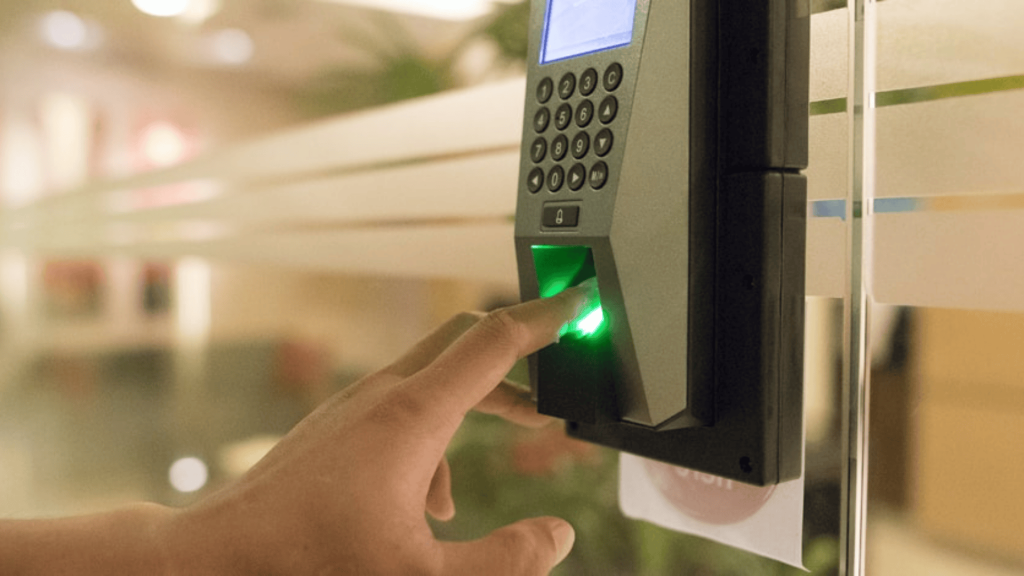
Fingerprint recognition uses the unique ridge patterns on a person’s finger to allow entry. A scanner captures the print and checks it against stored records before granting access.
This method is widely used because it is affordable, quick, and easy to manage. It fits well in offices, schools, apartments, and small businesses with regular daily traffic.
Most users already understand how it works, which reduces training needs. While it requires physical contact, modern scanners are fast and accurate.
Regular cleaning helps keep the system reliable and smooth for shared use.
2. Facial Recognition
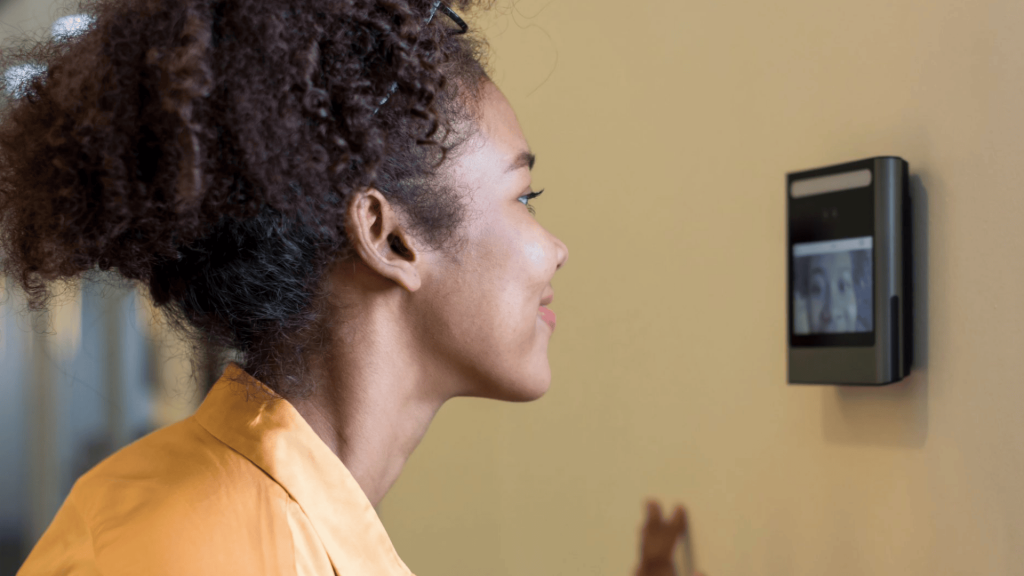
Facial recognition relies on cameras to analyze facial features such as the distance between eyes and face shape.
Since it does not require touch, it suits busy places where speed and hygiene matter. Offices, hospitals, and commercial buildings often use this option for smoother entry flow.
Proper lighting and camera placement improve accuracy and performance. Many systems adjust for changes like glasses or facial hair over time.
Users can walk through entry points naturally, making the experience quick while still keeping access controlled and monitored throughout the day.
3. Iris and Retina Scanning
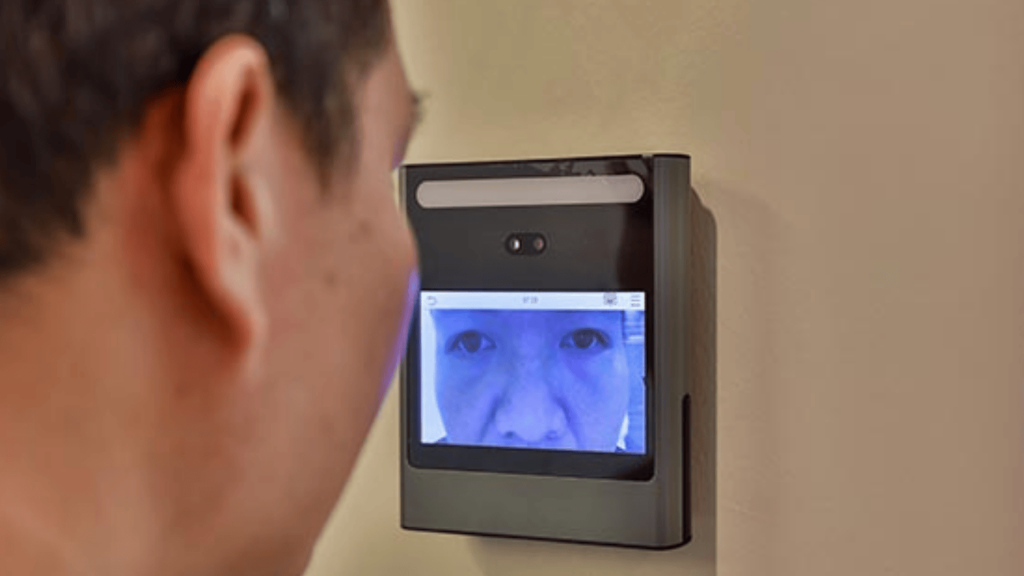
Iris and retina scanning focus on unique patterns in the eye that stay stable over time. These methods offer very high accuracy and are often used in places with strict security needs.
Iris scanning is more common because it feels more comfortable for users than retina scanning. This option fits well in data centers, labs, and restricted facilities.
The equipment costs more, but it reduces access errors. Because eye patterns are hard to copy, this method adds strong protection where mistakes are not acceptable.
4. Palm Vein Recognition
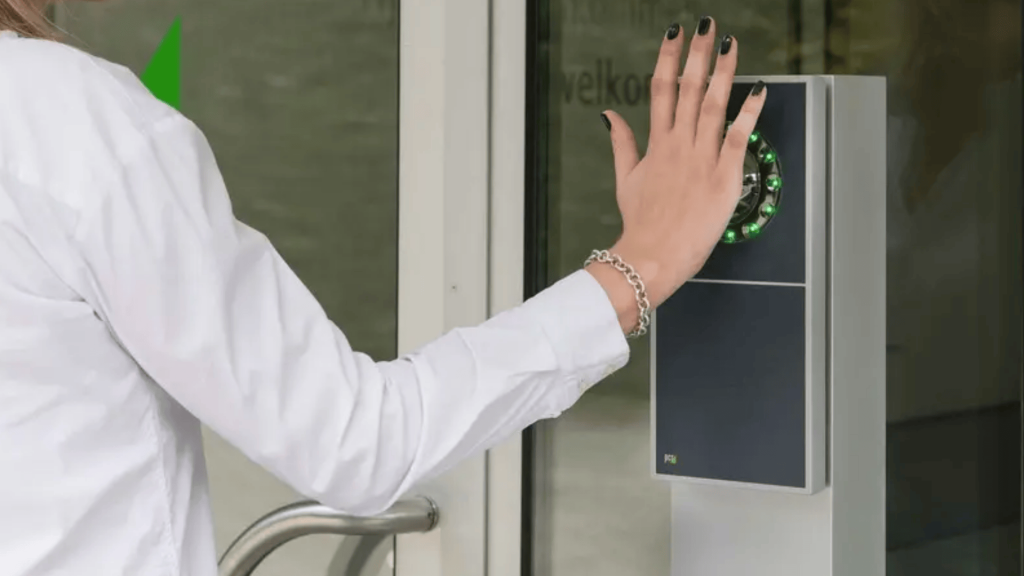
Palm vein recognition scans vein patterns inside the hand using infrared light. Since these patterns sit beneath the skin, they are very difficult to copy or misuse.
The system works without direct contact, which supports hygiene needs in shared spaces. It performs well in offices, hospitals, and secure workplaces with steady user flow.
Skin surface changes do not affect accuracy, making it reliable over time. Although the setup cost is higher, it offers strong accuracy and long-term stability for controlled environments.
5. Hand Geometry Recognition
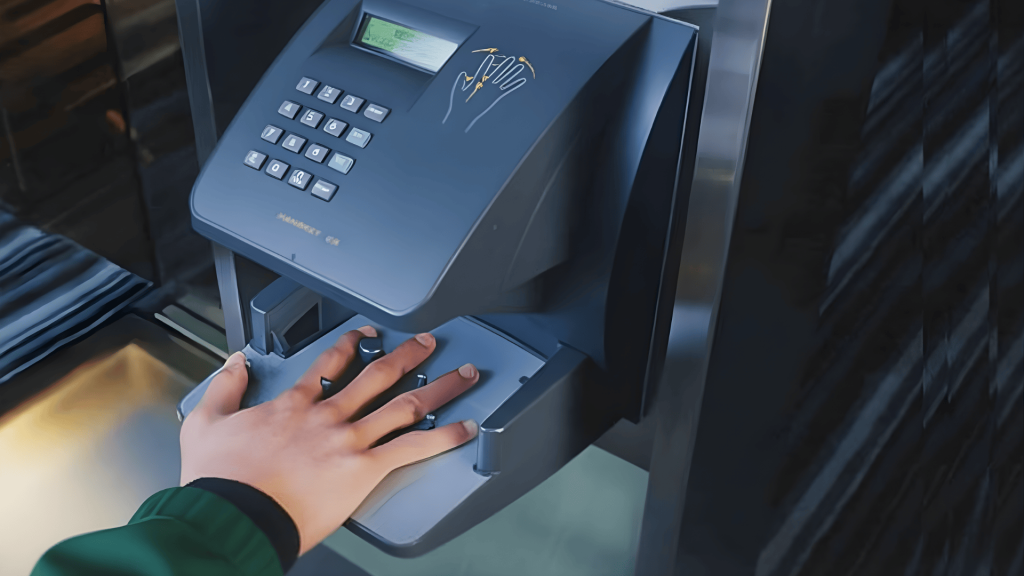
Hand geometry recognition measures the size, shape, and length of a person’s hand. It does not scan fine details, but still provides dependable access control for fixed user groups.
This method is easy to use and processes entries quickly. It works best in factories, warehouses, and employee-only areas where speed matters more than high-level detail.
The system handles daily use well and requires minimal user effort. While not suited for sensitive locations, it offers steady performance for basic access needs.
Key Features of a Biometric Access Control System
These features work together to improve access control by strengthening identity checks, simplifying management tasks, and giving clearer visibility into who enters secured areas.
- Unique identity verification: Each user is identified through a personal physical or behavioral trait, which helps prevent shared access and reduces the risk of unauthorized entry.
- Real-time access monitoring: The system records every entry attempt as it happens, making it easier to track movement and review access activity when needed.
- Centralized user management: Administrators can add, remove, or update user access from one dashboard, which simplifies control across multiple doors or locations.
- Detailed access logs and reports: Every approved or denied entry is stored automatically, helping with audits, compliance checks, and security reviews.
- System integration support: These systems can work alongside existing security tools like cameras or alarms, allowing smoother coordination without rebuilding the full setup.
Benefits of a Biometric Access Control System
These benefits focus on day-to-day impact, showing how biometric access improves operations, reduces manual work, and supports safer environments.
- Reduced access misuse: Since entry is tied to a person’s physical trait, sharing credentials becomes difficult, which helps lower internal access misuse and entry-related errors.
- Faster daily movement: Authorized users can enter secured areas quickly, reducing wait times during peak hours and improving overall flow in busy workplaces.
- Lower administrative workload: Security teams spend less time issuing, replacing, or resetting credentials, allowing them to focus on broader safety tasks.
- Improved compliance support: Clear access records help organizations meet internal policies and external compliance needs without extra tracking systems.
- Better long-term cost control: Over time, fewer replacements and reduced manual management help control access-related expenses more effectively.
Biometric Access vs Traditional Methods
This table shows a clear comparison between biometric access and traditional methods, helping readers quickly understand differences in security, usability, and daily management needs.
| Aspect | Biometric Access | Traditional Methods |
|---|---|---|
| Identity check | Based on physical or behavioral traits | Based on cards, keys, or PINs |
| Risk of misuse | Very low, hard to share | Higher, can be lost or shared |
| Daily access speed | Fast and smooth | Slower during busy hours |
| Management effort | Minimal ongoing handling | Frequent replacements and resets |
| Tracking ability | Automatic and detailed logs | Limited or manual tracking |
How Biometric Data is Protected?
Protecting biometric data starts with limiting how much information the system collects and how long it keeps it.
Most setups store only encrypted templates, not complete images, which reduces exposure if a breach occurs.
Access to these records is restricted through role-based permissions, so only approved staff can view or manage data.
Many systems support local storage options, allowing organizations to keep sensitive information within their own network.
Regular audits help confirm that security rules are followed and access rights remain up to date. Clear data retention policies ensure records are removed when no longer needed.
User consent and transparency also matter, helping people understand how their information is used. Together, these controls help maintain data safety while supporting reliable access control.
How to Choose the Right Biometric Access Control System?
Choosing the right system depends on practical needs, site conditions, and long-term goals, not just technology, so careful evaluation helps avoid setup issues later.
- Security level required: Assess how sensitive the area is and match the system strength to the risk level, rather than using the same setup for all spaces.
- User volume and traffic flow: Consider how many people will use the system daily and how quickly access needs to happen during busy hours.
- Environmental conditions: Check lighting, noise, dust, and space limits, as these factors can affect how well certain biometric methods perform.
- Scalability needs: Choose a system that can handle future growth, including more users, doors, or locations, without major changes.
- Vendor support and reliability: Look for providers that offer updates, maintenance, and clear support options to ensure smooth operation over time.
Where Biometric Access Technology is Heading?
Biometric access technology continues to move toward faster, more flexible, and user-friendly systems.
One clear direction is the wider use of touch-free methods, which help reduce contact in shared spaces and support smoother entry.
Systems are also becoming better at adapting to real-world conditions, such as changes in lighting, movement, or user behavior.
Cloud-based management is gaining attention because it allows remote updates, easier monitoring, and simpler system expansion across locations.
Mobile integration is another growing area, letting administrators manage access from secure apps instead of fixed workstations.
At the same time, accuracy improvements are helping reduce false approvals or rejections.
As regulations and user expectations grow, future systems are likely to place more focus on transparency, control options, and responsible data handling.
Conclusion
Choosing the right access control approach plays a big role in how secure and organized a space remains over time.
Biometric solutions help reduce access errors, support better monitoring, and simplify daily entry without adding extra work for administrators.
When planned correctly, these systems fit smoothly into offices, healthcare facilities, schools, and other controlled environments.
They also support long-term growth by adapting to changing needs and user volumes.
A biometric access control system stands out because it links access directly to the individual, not an item that can be lost or shared.
This creates clearer accountability and stronger control across locations. Before deciding, it always helps to review site conditions, user flow, and future plans to avoid costly adjustments later.
If you have questions, experiences, or tips to share, drop a comment below and join the discussion.