Every digital device relies on a core system that keeps everything running smoothly in the background.
Without it, computers, smartphones, tablets, and servers would be unable to manage software, hardware resources, memory allocation, or user interactions effectively.
Many people use technology every day, yet the differences between systems often remain unclear.
This is where understanding the types of operating systems becomes important.
Each type is designed for a specific purpose and environment, from personal devices to large-scale networks and specialized machines.
In this blog, each operating system type is clearly defined and supported with practical examples to show how and where it is commonly used.
What is an Operating System?
An operating system is the main software that allows a device to function properly and efficiently.
It acts as a bridge between computer hardware and the user, enabling programs to run smoothly and tasks to be performed accurately.
The operating system manages hardware components such as the processor, memory, storage, and input devices to ensure stable performance.
It controls how software applications are installed, opened, updated, and executed within the system environment.
The operating system also handles user interaction through graphical or command-based interfaces for easy communication.
Without an operating system, a device cannot operate, process instructions, or respond to user commands effectively and reliably.
Types of Operating System
Operating systems are categorized based on how they manage tasks, users, and hardware resources.
1. Batch Operating System
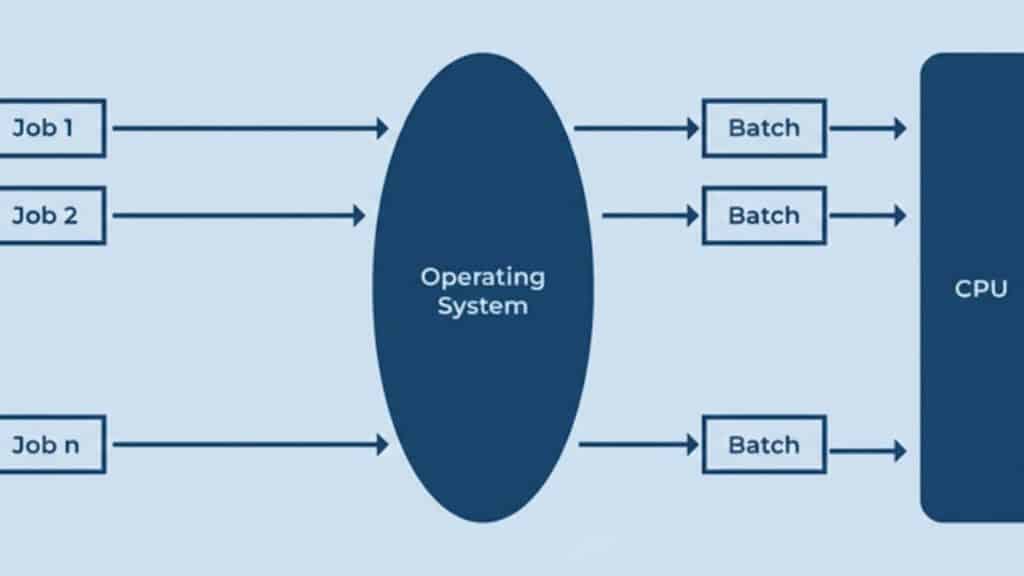
A batch operating system processes jobs in groups without user interaction during execution. Users submit jobs, such as programs and data, and then wait for the results.
Once a job starts, it runs fully without interruption. This type of system was widely used in early computing, where efficiency mattered more than interaction.
They are commonly used for payroll processing, billing systems, bank statement generation, and large-scale data processing, especially where tasks are repetitive and do not require immediate user interaction.
Some of the examples are IBM z/OS and Unisys MCP.
- Pros: High efficiency for bulk tasks, better CPU utilization, suitable for large data processing.
- Cons: Slow response time, no real-time interaction, errors are detected only after job completion.
2. Multi-Programming Operating System
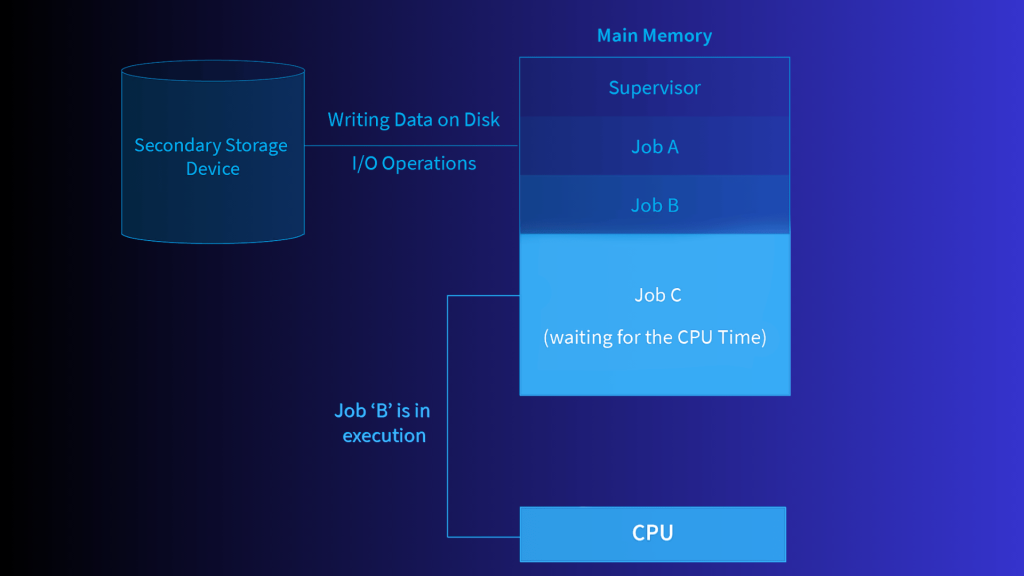
A multi-programming operating system allows multiple programs to remain in memory at the same time.
When one program waits for input while another uses the processor, CPU utilization and overall efficiency improve.
It is commonly used in modern computers and servers to manage multiple background processes effectively.
Well-known examples include IBM OS/360 and the Linux (via its kernel). It relies on efficient scheduling algorithms to decide which program should use the CPU at any given time.
This approach ensures continuous processing and better resource utilization in multi-user and multi-tasking environments.
- Pros: Better CPU utilization, reduced idle time, improved system throughput.
- Cons: Complex memory management, difficult process scheduling, higher risk of resource conflicts.
3. Network Operating System
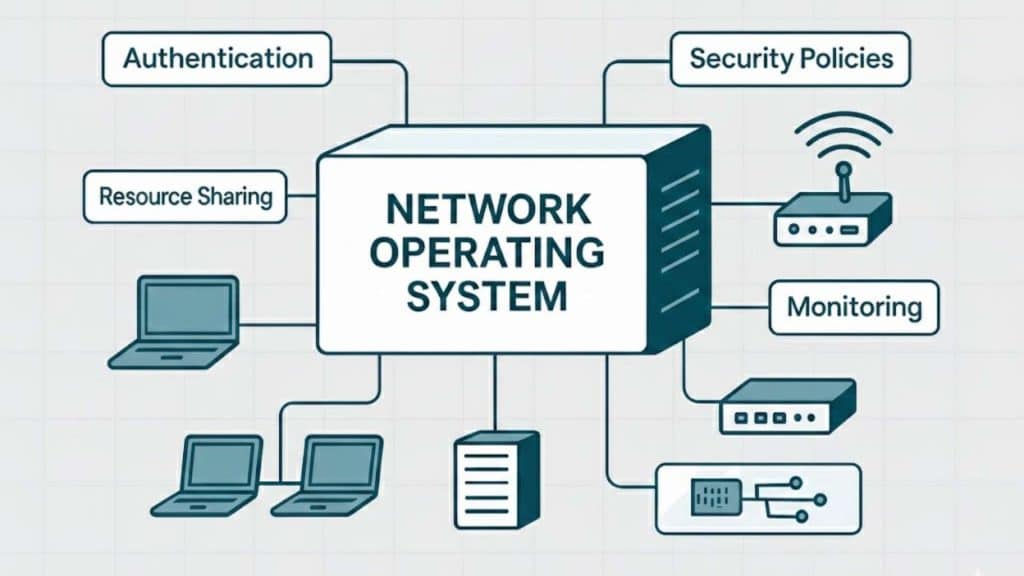
A network operating system controls and manages resources within a network. It allows systems to securely share files, printers, and applications.
Each computer runs its own operating system but relies on the network system for centralized management. User authentication, access control, and data sharing are key functions.
It is commonly used in corporate offices, educational institutions, and enterprise environments where multiple computers require centralized control and secure communication.
Examples include Novell Open Enterprise Server (OES), Banyan’s VINES (discontinued)
- Pros: Centralized administration, improved data sharing, stronger access control, & easier network management.
- Cons: Requires dedicated server setup, higher maintenance costs, and dependency on network stability.
4. Multiprocessing Operating System
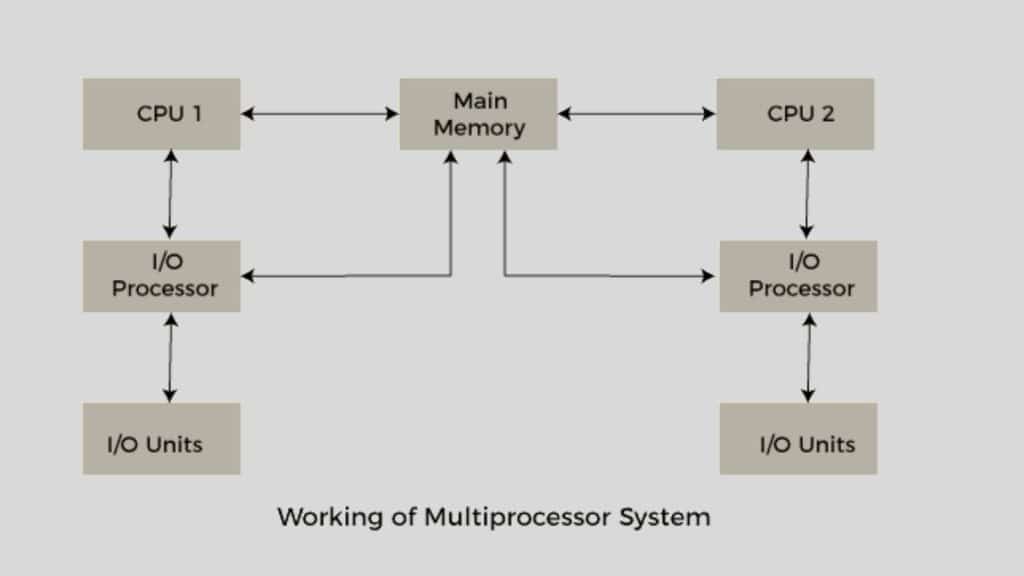
A multiprocessing operating system uses multiple processors to execute tasks. Workloads are divided among processors to improve performance and speed.
This system increases reliability because if one processor fails, others can continue functioning.
The operating system manages task scheduling and coordinates communication between processors to ensure balanced execution.
It is commonly used in data centers,enterprise servers,scientific computing, and high-performance systems that require heavy workloads and parallel processing. Examples include Windows Server and Solaris.
- Pros: Higher processing speed, improved reliability, efficient handling of large workloads.
- Cons: Higher hardware costs, complex system design, and the need for advanced scheduling management.
5. Distributed Operating System
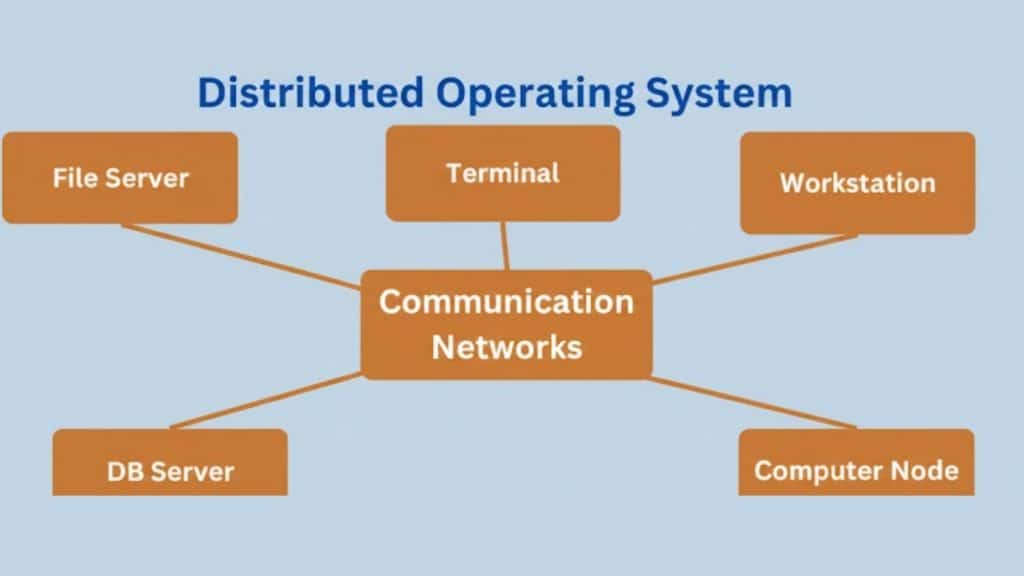
A distributed operating system manages multiple independent computers and presents them as a single unified system.
Tasks are shared across machines connected through a network, allowing users to experience seamless operation without knowing where the processing actually occurs.
It is commonly used in cloud computing platforms, large-scale enterprise networks, research environments, and systems that require resource sharing across multiple locations.
Some examples are Amoeba (Experimental OS), Plan 9
- Pros: Improved scalability, better resource sharing, higher fault tolerance, enhanced performance.
- Cons: Complex system design, difficult coordination between machines, and higher maintenance requirements.
6. Multi-Tasking or Time-Sharing Operating System
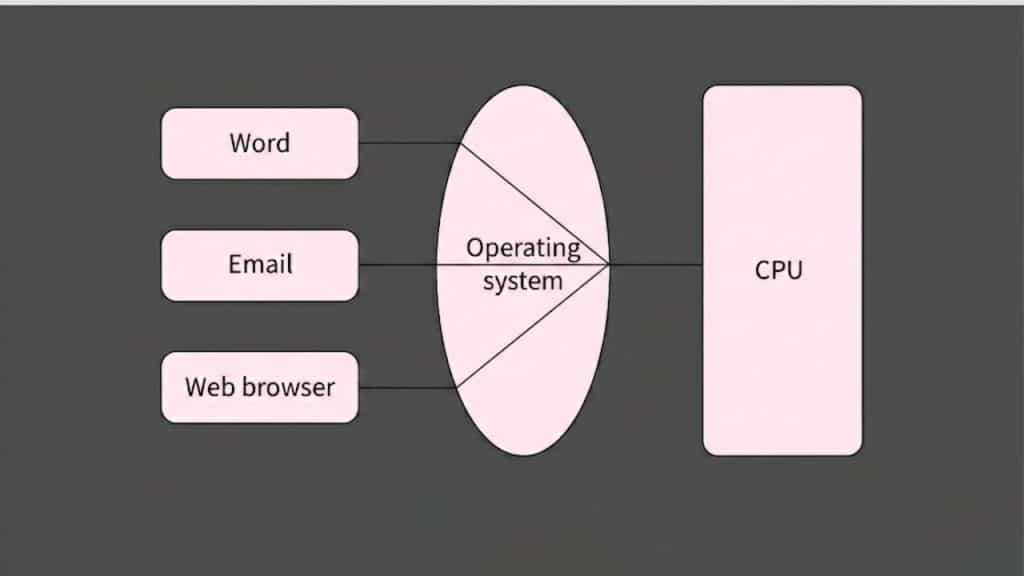
A multitasking or time-sharing operating system enables multiple tasks or users to run concurrently.
The processor divides time into small slices and rapidly assigns them to different tasks, creating the impression that programs run simultaneously.
They are commonly used on desktop computers,in shared university systems, on enterprise servers, and in environments where multiple users need simultaneous access to applications and resources.
Examples include Multics and TOPS-20
- Pros: Quick response time, efficient resource sharing, improved user interaction.
- Cons: Performance may decrease under heavy load, scheduling management can be complex, and there is higher system overhead.
7. Real-Time Operating System
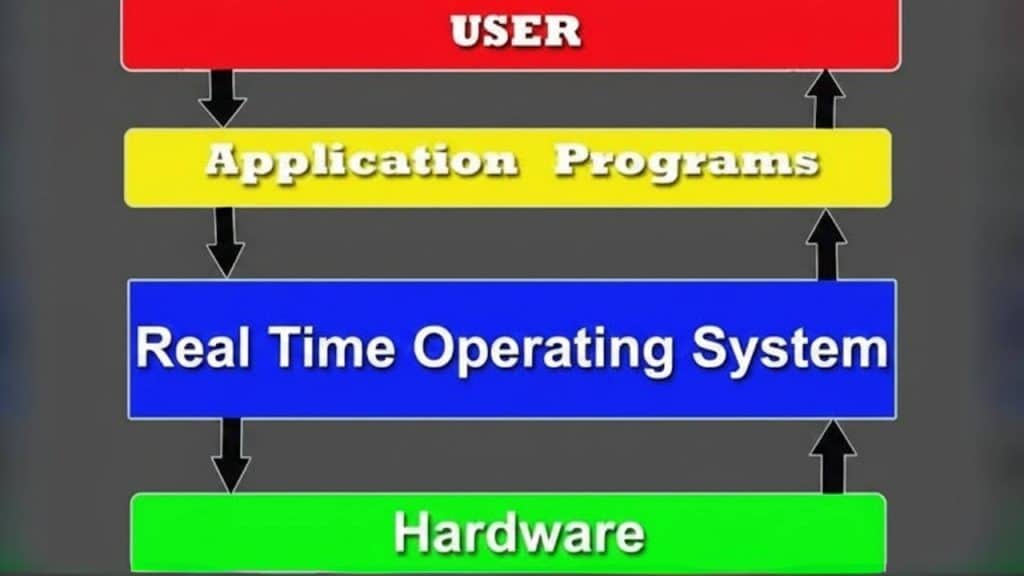
A real-time operating system responds to inputs within a fixed and predictable time limit.
Accuracy and timing are more important than speed, especially in systems where delays can lead to failure or safety risks.
These systems are commonly used in medical devices, automotive control units, robotics, industrial automation, and aviation systems, where precise timing is critical.
Real-time operating systems are classified as hard or soft real-time systems based on the strictness of timing requirements.
They manage tasks using priority-based scheduling and minimal latency. Examples are FreeRTOS and eCos.
- Pros: Predictable response time, high reliability, precise task management.
- Cons: Limited flexibility, complex design, and higher development and maintenance effort.
8. Mobile Operating System
A mobile operating system is software designed to run on smartphones and tablets.
It controls how the device functions by managing hardware components such as the touchscreen, camera, microphone, sensors, processor, and battery.
Unlike desktop operating systems, mobile operating systems are designed to handle touch-based input, gestures, and smaller screens efficiently.
They are widely used in personal communication, social networking, online banking, media streaming, travel, and mobile productivity applications. Examples are Android and iOS.
- Pros: User-friendly interface, optimized battery management, strong app ecosystem.
- Cons: Limited hardware customization, restricted system-level access, dependency on vendor updates.
9. Embedded Operating Systems
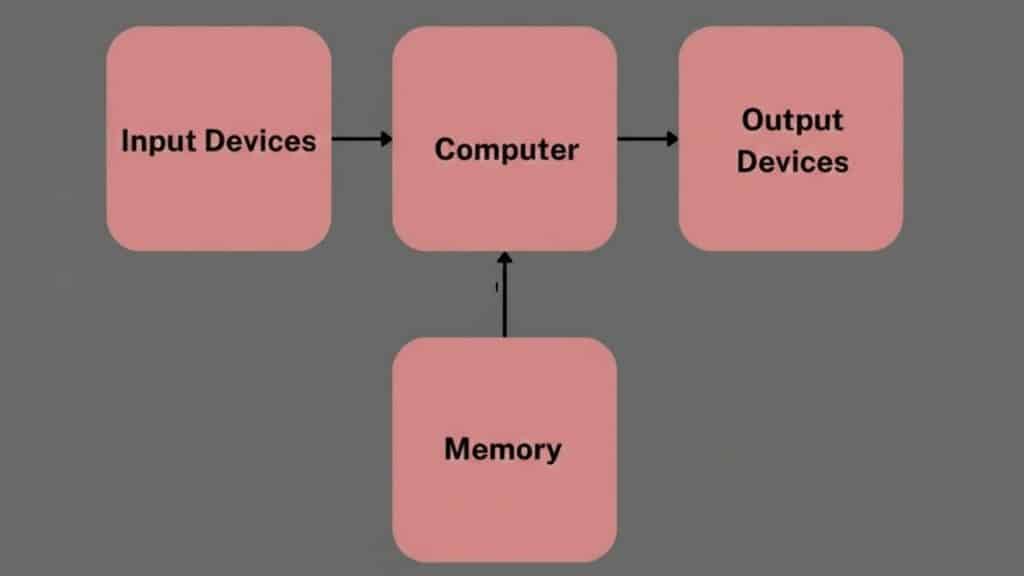
An embedded operating system is designed to run on dedicated hardware devices that perform specific tasks.
Unlike general-purpose operating systems, it is built for limited resources and a focused set of functions.
These systems prioritize stability, reliability, and efficient performance in controlled environments.
They are widely used in industrial automation, medical equipment, automotive control systems, network routers, consumer electronics, and smart home devices.
Examples are VxWorks and Embedded Linux.
- Pros: High reliability, low resource consumption, stable performance in dedicated environments.
- Cons: Limited flexibility, difficult updates, hardware dependent design constraints.
Note: “Modern operating systems like Linux or Windows often combine multiple types (e.g., multi-tasking with multiprocessing), creating hybrids for versatility.”
How to Choose the Right Type of Operating System?
Choosing the right option from the types of operating systems depends on how and where the system will be used.
Device type is the first factor, as desktops, servers, mobile devices, and embedded systems all require operating systems designed for specific hardware and functions.
Workload also plays an important role, since systems handling heavy processing or multiple users need stronger resource management.
Performance requirements help determine whether speed, stability, or precise timing is the priority.
User access matters in shared environments where multiple users operate simultaneously.
Security, scalability, and ease of maintenance should also be evaluated to ensure the selected operating system meets both current needs and future growth demands.
Common Operating System Selection Mistakes
Choosing the right operating system requires careful consideration. Overlooking key factors can lead to long term performance and security issues.
- Selecting the wrong operating system: Using a desktop operating system on a server or embedded device can lead to inefficiency and limited functionality.
- Ignoring workload and usage: Some operating systems handle multiple tasks and users better than others.
- Overlooking security: An operating system without regular security updates can leave systems vulnerable to malware and data breaches.
- Not checking software and hardware compatibility: Installing an operating system that does not support required applications.
- Failing to plan for future scalability: An operating system that cannot scale with growing needs may require early replacement, leading to higher costs and operational challenges.
Conclusion
Understanding the types of operating systems helps clarify how different devices and systems function across industries and daily use.
Each operating system type is built for a specific purpose, whether handling bulk data processing, supporting multiple users, managing real-time tasks, or powering mobile and embedded devices.
From batch and multiprogramming systems to network, distributed, and mobile platforms, every category plays a distinct role in improving performance, efficiency, and reliability.
Knowing these differences makes it easier to choose the right operating system based on workload, device requirements, and environment.
As technology continues to grow, operating systems remain at the core of innovation and system control.
Have questions about types of operating systems or need help choosing one? Drop a comment below and keep the discussion going.