Your smartphone holds more personal data than most other devices you use every day.
Messages, payments, location history, and private conversations all move through a single layer that quietly controls access and behavior: the mobile operating system.
As phones replace wallets, cameras, and personal records, privacy and security have become deciding factors for many users.
Android and iOS still dominate daily use, yet ongoing community discussions question how much control they truly give users over their personal data.
Across forums and tech spaces, users compare update policies, permission handling, and background data access while searching for safer options.
Drawing from real user experiences, this post examines the best mobile OS for security and why these choices matter today.
What Do Users Look for in a Secure Mobile OS?
Users often judge a secure mobile OS by how well it protects data at the system level rather than by surface features.
Strong encryption is one of the first points mentioned, as it limits access to stored files if a device is lost or accessed without approval.
Regular system updates also matter, since timely patches reduce exposure to known threats.
Permission control is another common topic in user discussions, especially the ability to limit app access to contacts, location, camera, and storage.
Many users also value app sandboxing, which keeps apps isolated so one cannot freely access another’s data.
Additionally, system-level protections such as verified boot, secure startup checks, and restricted background activity help reduce misuse.
Together, these elements shape how users decide if an operating system feels trustworthy for everyday use.
Best Mobile OS for Security Systems

This section shows the best mobile OS for security, comparing system protections, privacy controls, update reliability, hardware support, and real-world trade-offs that affect everyday use.
1. GrapheneOS
GrapheneOS is an open source mobile operating system designed with privacy and security as core priorities.
Built on the Android Open Source Project, it applies additional system-level protections to reduce exposure to exploits.
Unlike stock Android, GrapheneOS does not include Google Mobile Services, which limits background system access and reduces passive data collection.
The operating system focuses on reducing the attack surface by disabling unused components and restricting hardware features such as Bluetooth or NFC when the device is locked.
It also enforces strict app isolation, allowing Play Services to run as standard sandboxed apps without special privileges.
Users can control network access on a per-app basis and limit file access through scoped storage controls, which restrict apps to their own data and reduce the risk of malicious behavior.
2. LineageOS
LineageOS is an Android-based operating system that focuses on privacy, control, and a clean user experience.
It ships with only essential system apps, such as a browser, gallery, and music player, to avoid unnecessary preinstalled software.
LineageOS offers extensive customization, allowing users to control permissions, status bar icons, and visual elements to suit their preferences.
Google services are not included by default, which reduces background data access unless they are manually added.
The system supports frequent security patches and works on a wide range of devices from multiple manufacturers. This allows older hardware to receive newer software versions.
However, LineageOS does not include advanced exploit mitigation or hardened protections found in more security-focused operating systems.
3. CalyxOS
CalyxOS is an Android-based operating system designed to strengthen privacy and security beyond what stock Android provides.
It removes default Google services and prevents background system connections to Google servers.
Instead, CalyxOS offers microG as an optional open source replacement that supports app compatibility without advertising or location tracking.
CalyxOS can run without any Google components and includes a built-in firewall for precise app network control, along with automatic monthly security updates delivered over the air.
A privacy dashboard makes permission management clear and accessible, while integrated Tor support routes traffic through encrypted relay networks.
CalyxOS supports select Pixel, Fairphone, and Motorola devices. Some applications that depend heavily on Google frameworks may show limited functionality.
4. PureOS
PureOS is often discussed among users who prioritize open-source software and full-system transparency.
Built on a Debian GNU/Linux base, PureOS follows strict free-software guidelines and removes proprietary components at the operating-system level.
It uses standard Linux security models, application sandboxing through Flatpak, and permission-based hardware access controls.
These elements appeal to users who want direct oversight of system behavior and software sources. However, discussions also acknowledge clear limits.
PureOS is officially supported on a small range of hardware, primarily devices produced by Purism.
Mobile performance and app availability are also more limited than on Android-based systems.
5. iOS Security
iOS is often described as a tightly controlled operating system with strong system-level security enforcement.
Apple distributes security updates centrally, allowing supported devices to receive patches at the same time, often for five to six years.
Users frequently cite hardware-backed protections such as the Secure Enclave, which handles biometric data, cryptographic keys, and secure boot verification.
iOS also applies mandatory code signing, strict app sandboxing, and entitlement-based permission models that limit low-level access.
At the same time, forum discussions raise privacy concerns around iCloud synchronization, background telemetry, and limited visibility into system processes.
Reddit Users on Mobile OS Privacy and Security
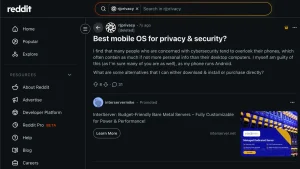
In this Reddit discussion, users focus on how phones often hold more sensitive data than computers, yet receive less attention when it comes to privacy and security choices.
The conversation compares mainstream systems with alternative operating systems that offer greater control.
LineageOS, GrapheneOS, and PureOS are repeatedly mentioned, with users debating privacy versus security rather than treating them as the same goal.
Several comments stress that update frequency, hardware support, and threat model matter more than brand loyalty.
Users also point out that carriers and apps play a major role in data tracking, regardless of the OS.
The overall tone is realistic, with many agreeing there is no perfect option, only better trade-offs depending on user priorities and technical comfort.
Tips For Choosing a Secure OS
These points outline how users evaluate a secure mobile OS, considering device support, security goals, technical skill, update reliability, app needs, and long-term maintenance expectations.
- Compatibility: Check if the operating system supports the phone model and hardware in use
- Priorities: Define what matters most, such as patch speed, permission control, or reduced background access
- Skill: Assess comfort with bootloader unlocking, recovery installation, and manual system setup
- Updates: Review how often security patches are released and how closely they follow upstream fixes
- Apps: Consider daily app needs, since some systems limit APIs or background services
Conclusion
Choosing the best mobile OS for security depends on what matters most in daily use.
Some options focus on strict system hardening and reduced background access, while others balance protection with usability and app support.
Hardware compatibility, update consistency, permission control, and reliance on third-party services all influence how secure a system feels over time.
No operating system offers absolute protection, but each provides a different level of control and tradeoffs.
Looking at real user experiences helps clarify which approach fits specific needs, technical comfort, and long-term expectations.
A well-informed choice comes from understanding both strengths and limits before committing to a platform.
Which mobile OS aligns best with your security priorities? Share thoughts, experiences, or questions in the comments and join the discussion.