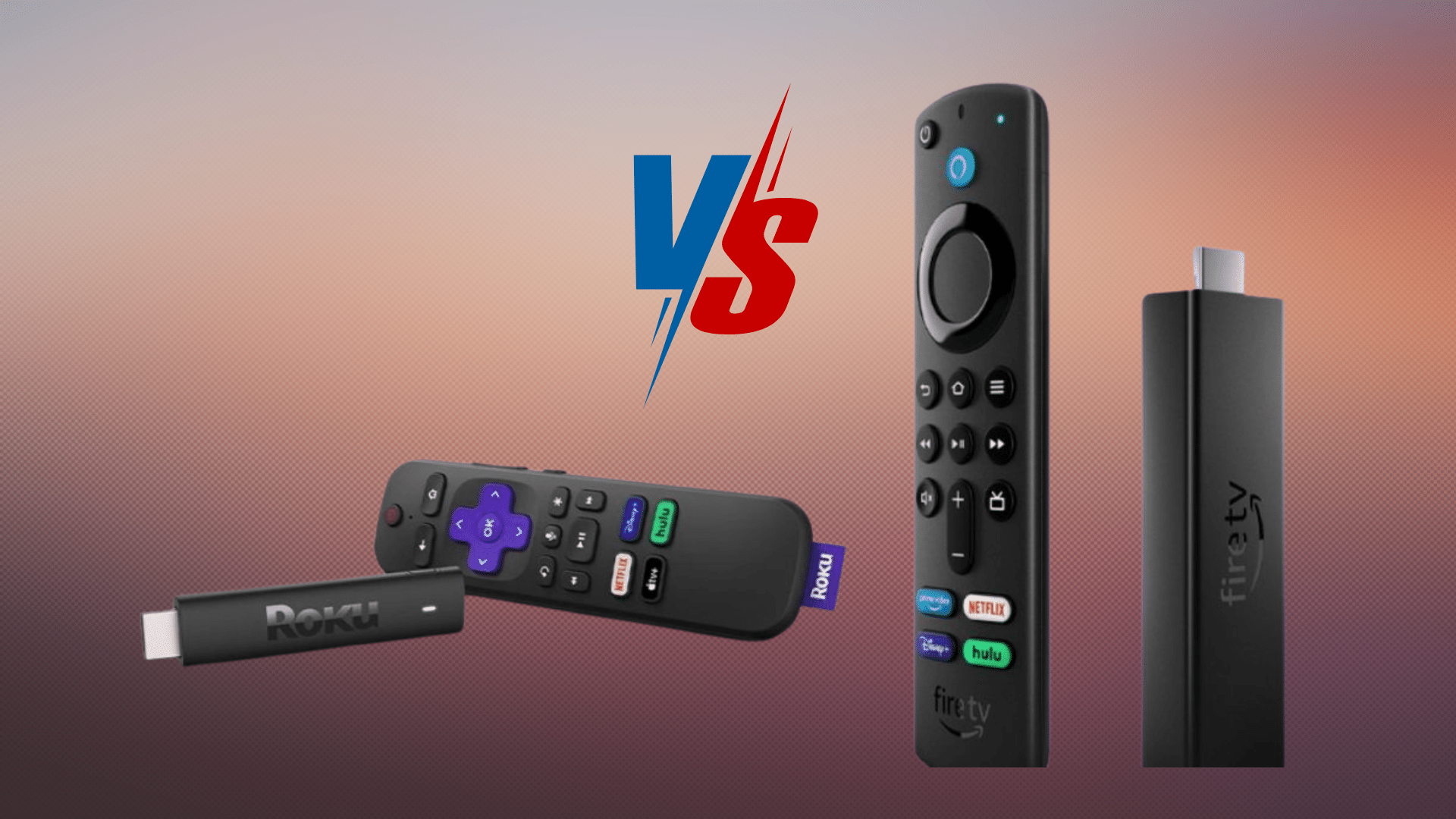
Streaming has become the go-to way to watch TV, and choosing the right device can make all the difference.
Small, affordable, and powerful, streaming sticks now act as the gateway to popular platforms like Netflix, Hulu, and YouTube, all from one place.
But not every device delivers the same experience. From interface design to content access and extra features, the differences matter more than they seem.
This is where the debate around firestick vs roku often begins. Some viewers want simplicity, while others care about smart features and voice control.
With so many opinions and options, picking the right device can feel confusing.
This guide breaks down the key differences in a clear, straightforward way to help you choose the streaming option that fits your viewing style best.
Which One to Choose?
Fire TV Stick and Roku are two of the most popular streaming devices for turning a TV into a smart streaming hub.
The main difference is that Roku focuses on a simple, neutral interface with access to thousands of channels, while Amazon Fire TV Stick emphasizes Alexa voice control and deep integration with Amazon services like Prime Video.
Roku is often preferred for its clean interface and broad app support, whereas Fire TV Stick is better for users who want voice features and Amazon ecosystem integration.
Roku Overview
Roku is a popular streaming platform that lets users easily watch movies, TV shows, and more on their TVs through a variety of services.
It connects to your TV via HDMI and provides access to over 5,000 channels, including Netflix, Hulu, YouTube, and more, so you can stream content directly from the internet.
Roku offers a wide range of devices to suit different needs and budgets.
One of Roku’s standout features is its user-friendly interface, which makes it easy to move between different apps and channels.
The device is designed for simplicity, making it a great choice for both tech-savvy users and beginners.
About Firestick
The Fire TV Stick is a streaming device from Amazon that plugs into your TV’s HDMI port, turning any TV into a smart TV.
It provides access to streaming services such as Netflix, Hulu, and Prime Video via Wi-Fi.
There are different models to choose from, such as the budget-friendly Fire TV Stick Lite for Full HD streaming, and the Fire TV Stick 4K for 4K Ultra HD, Dolby Vision, and Dolby Atmos support.
A standout feature is its integration with Amazon’s Alexa, which enables voice control for searching for content, adjusting volume, and controlling smart home devices.
It’s a perfect option for those already in the Amazon ecosystem.
Key Differences: Firestick vs Roku
This section breaks down the key differences between Roku and Fire TV Stick by comparing key features and subscription options to help you choose the right device.
1. User Interface
Roku offers a simple, easy-to-use interface that feels clean, organized, and beginner-friendly.
The home screen focuses on direct access to installed channels, making it easy to jump into streaming without distractions.
Roku avoids heavily promoting its own content, which helps keep the layout uncluttered and consistent across devices.
The Fire TV Stick also provides a modern interface, but it prominently features Amazon content, recommendations, and ads on the home screen.
While some users enjoy personalized suggestions, others find the layout busy and less intuitive compared to Roku’s straightforward design.
2. Streaming Options
Roku provides access to over 5,000 channels, covering popular platforms like Netflix, Hulu, YouTube, Disney+, and many niche and free streaming options through the Roku Channel.
This wide selection makes Roku appealing to users who enjoy variety and flexibility across different services.
Firestick also supports all major streaming apps, but its content layout strongly promotes Amazon Prime Video and Amazon Originals.
While this benefits Prime members, non-Amazon users may feel limited by the heavy emphasis on Amazon content compared with Roku’s more neutral, open content presentation.
3. Remote Control Features
Roku remotes are designed for simplicity, making them easy to use for all age groups.
Most Roku remotes include dedicated shortcut buttons for popular streaming apps, allowing quick access without extra steps.
Higher-end models also support voice search through the remote or mobile app. In comparison, the Fire TV Stick includes an Alexa-powered voice remote as a standard feature.
This allows users to search for shows, control playback, adjust volume, and even manage compatible smart home devices using voice commands.
Offering a more interactive and hands-free experience overall.
4. Voice Assistance
Roku offers voice search on select devices through the remote or the mobile app, making it easy to look up movies, TV shows, actors, or genres without typing.
These voice features are mainly focused on content discovery and basic playback actions, which work well for users who prefer simple commands.
Fire TV Stick delivers a more advanced voice experience with built-in Alexa support.
Users can search and play content, adjust volume, open apps, check the weather, and control compatible smart home devices.
Firestick vs Roku Price Comparison
When it comes to pricing, Firestick vs roku is a fairly even matchup at the entry level.
The Roku Express 4K+ and the Fire TV Stick 4K are both typically priced at $39.99, making either a solid budget-friendly choice for 4K streaming.
Moving up, the Fire TV Stick 4K Max usually costs around $59.99 and offers faster performance and stronger Wi-Fi support.
On the Roku side, the premium option is the Roku Ultra, priced at $99.99, and it focuses on speed, smoother performance, and extra features such as Ethernet support.
Roku provides free content through the Roku Channel, including movies, TV shows, and live channels, with optional paid subscriptions for premium services.
Fire TV Stick also offers free access to many apps, but Amazon Prime Video requires a paid subscription to unlock its full library.
Overall, Firestick models tend to offer more features at lower prices, while Roku’s higher-end option targets users who want a cleaner interface and premium performance.
Firestick vs Roku: Pros and Cons
This table provides a clear comparison of the advantages and disadvantages of both devices for easy understanding.
| Feature | Roku | Fire TV Stick |
|---|---|---|
| PROS | ||
| Simplicity & Ease of Use | User-friendly interface, easy to find. | Alexa voice control for easy hands-free use. |
| Device Variety & Affordability | Range of models, from budget to premium. | Various models, including 4K options. |
| CONS | ||
| Smart Home Integration | Limited integration with smart home devices. | Deep integration with Amazon smart home devices. |
| Performance Issues | Occasional performance lags with some models. | Can experience slowdowns, especially with older models. |
Firestick vs Roku: How to Pick the Right Streaming Device?
Choosing the right streaming device depends on budget, viewing habits, content preferences, and smart features, all of which can shape the overall streaming experience.
- Budget-Friendly Options: Roku Express suits tight budgets with broad channel access, while Fire TV Stick Lite works well for basic streaming without extra features or higher upfront costs.
- Casual Streaming Needs: Roku keeps things simple and clutter-free for everyday viewing, whereas Fire TV Stick fits Prime Video fans who prefer voice control through Alexa.
- Smart Home and Tech Focus: Fire TV Stick pairs smoothly with Alexa and Amazon smart devices, making it a better choice for users already invested in a connected home setup.
- Premium Viewing Experience: Roku Ultra delivers smooth 4K streaming, while Fire TV Stick 4K adds Dolby Vision and Dolby Atmos for richer picture and sound quality.
- Content Variety Preferences: Roku supports a wider mix of apps and free channels, while Fire TV Stick centers heavily around Amazon content and Prime Video services.
Firestick vs Roku: Reddit User Opinions
In this Reddit discussion, users actively compare Fire TV Stick vs. Roku, sharing real-world experiences rather than spec sheets.
Many commenters favor Roku, praising its clean interface, smoother performance, and less intrusive ads.
The Roku Ultra is frequently mentioned for its speed and reliability.
Fire TV Stick, however, still appeals to users invested in Amazon’s ecosystem, especially those who value Alexa voice control and Prime Video access.
That said, many criticize Fire TV Stick for excessive ads, cluttered menus, and forced content placement.
Several users also recommend premium alternatives, such as Apple TV and Nvidia Shield, for those willing to spend more.
Overall, Reddit opinions suggest the best choice depends on tolerance for ads, ecosystem preference, and ease of use.
Conclusion
In the end, the choice between Firestick vs Roku really comes down to what you value most in your streaming experience.
If you prioritize a user-friendly interface and a comprehensive selection of channels without too many distractions, Roku may be the ideal option for you.
It’s designed for those who want a straightforward, no-fuss streaming experience.
On the other hand, if you are deeply integrated into the Amazon ecosystem and appreciate the convenience of hands-free voice controls, the Fire TV Stick might be the better choice.
It’s especially appealing for those who own other Amazon devices. Take a moment to consider your viewing habits, preferences, and budget, and you’ll surely find the perfect fit for your needs.
We’re eager to hear your thoughts! Which device do you believe will truly enhance your streaming experience?
Share your choice in the comments!