Think deleting files keeps your data safe? Well, that’s a risky assumption many people make.
Even after wiping a computer or removing a hard drive, sensitive information can still be recovered with the right tools.
This puts personal records, business files, and customer data at serious risk if old drives are thrown away or sold without proper care.
This is where hard drive destruction becomes essential. It goes beyond simple deletion and focuses on making data completely unreadable.
For businesses, this helps protect client trust and meet legal rules. For individuals, it prevents identity theft and data misuse.
In this blog post, you’ll learn why proper hard drive disposal matters, what methods actually work, and when professional services are the safest option for protecting your data long term.
What is Hard Drive Destruction and Why Does it Matter?
It is the process of permanently destroying a storage device so that the data on it cannot be recovered.
This is different from deleting files or formatting a drive, which only removes access to data, not the data itself.
Old hard drives often still hold names, passwords, financial records, and work files. If these drives are reused, sold, or thrown away, that data can fall into the wrong hands.
Proper destruction removes this risk by physically damaging the drive or erasing the data using methods.
For businesses, this helps meet data protection rules and protect customer trust. For individuals, it lowers the risk of identity theft and data misuse.
Who Needs Hard Drive Destruction Services?
These services are important for anyone who stores sensitive information on computers or servers.
Businesses often keep customer details, employee records, and payment data that must stay private even after devices are replaced.
Healthcare providers handle patient files that require strict protection under data laws. Financial and legal firms also manage confidential documents that should never be exposed.
IT teams and data centers replace hard drives often and need a safe way to dispose of old ones. Individuals also benefit when selling, donating, or discarding old computers.
Without proper destruction, personal photos, passwords, and documents can still be recovered.
Using secure destruction methods helps reduce data theft risks and supports safe, responsible data disposal.
Risks of Improper Hard Drive Disposal
Improper hard drive disposal creates serious security, legal, and financial risks when sensitive data remains accessible on old devices instead of being permanently and appropriately destroyed.
-
Data Theft Risk: Old hard drives can still contain recoverable files, making them an easy target for identity theft and unauthorized data access.
-
Legal Consequences: Failing to destroy hard drives correctly can lead to violations of data protection laws and costly penalties for businesses.
-
Loss of Trust: Data leaks caused by poor disposal can damage customer confidence and harm a company’s reputation.
-
Financial Impact: Recovering from data breaches often involves legal fees, fines, and recovery costs that can affect long-term operations.
-
Environmental Harm: Improper disposal can also lead to unsafe electronic waste handling, causing damage to the environment and public health.
How to Destroy a Hard Drive Securely?
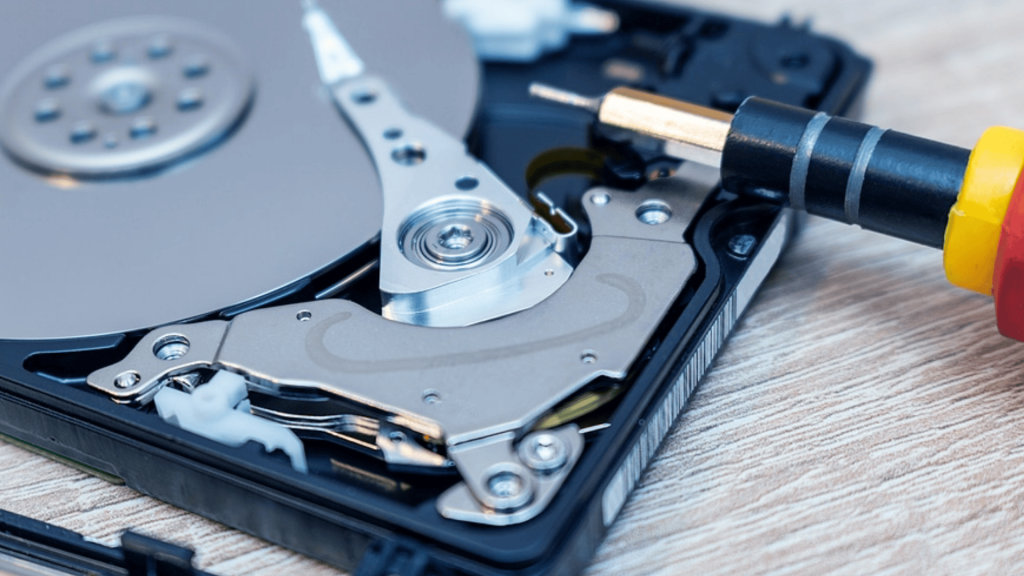
This section explains the most common and secure ways to destroy a hard drive, helping users choose the right method based on data sensitivity and disposal needs.
1. Physical Destruction Methods
Physical destruction involves damaging the hard drive so it cannot function or store data again.
Common methods include drilling holes through the drive, crushing it, or breaking it apart using tools.
These actions damage the internal disks, making data access very difficult. However, doing this at home may not fully destroy all data, especially on modern drives.
Small mistakes can leave parts readable. This method works best for personal use but carries risks if not done correctly or completely.
2. Hard Drive Shredding
Hard drive shredding is one of the most secure destruction methods available. It uses industrial machines to break drives into small metal pieces, ensuring data cannot be recovered.
This method is ideal for businesses handling large volumes of drives. Shredding follows controlled processes and often includes documentation as proof of destruction.
Because the drive is fully destroyed, it meets strict data protection needs and reduces security risks linked to storage, transport, or reuse of old devices.
3. Degaussing
Degaussing destroys data by using a strong magnetic field to erase information stored on magnetic hard drives.
This process disrupts data patterns, making files unreadable. It works well for traditional hard disk drives but is not effective for solid-state drives.
After degaussing, the drive usually becomes unusable and still needs physical disposal.
This method is often used by organizations that follow strict data rules and need fast, large-scale data removal before disposal.
Professional Hard Drive Destruction vs DIY Methods
This table compares professional hard drive destruction with DIY methods to help readers understand security, reliability, and risk differences before choosing the right option safely.
| Factor | Professional Destruction | DIY Methods |
|---|---|---|
| Data Security | High-level security with controlled processes | Limited and often incomplete |
| Recovery Risk | Data cannot be recovered | Data may still be recoverable |
| Compliance Support | Meets data protection rules | No compliance proof |
| Time & Effort | Fast and handled by experts | Time-consuming and manual |
| Proof of Destruction | Certificate or documented record | No formal proof available |
What to Look for in a Hard Drive Destruction Company
This section highlights key factors to consider when choosing a company, helping users ensure secure handling, legal compliance, and reliable data protection services.
1. Certifications and Compliance: Choose a company that follows data protection laws and industry standards to ensure hard drives are destroyed using approved and secure methods.
2. Proof of Destruction: A reliable provider should give written records or certificates confirming that the hard drive was destroyed properly and completely.
3. On-Site and Off-Site Options: Look for flexible service choices based on your security needs, data volume, and level of control required during destruction.
4. Secure Handling Process: The company should follow clear steps for collecting, transporting, and destroying hard drives to prevent data exposure at any stage.
5. Experience and Reputation: A trusted company with proven experience is more likely to handle sensitive data safely and reduce risks linked to errors or misuse.
Reliable Hard Drive Destruction Services
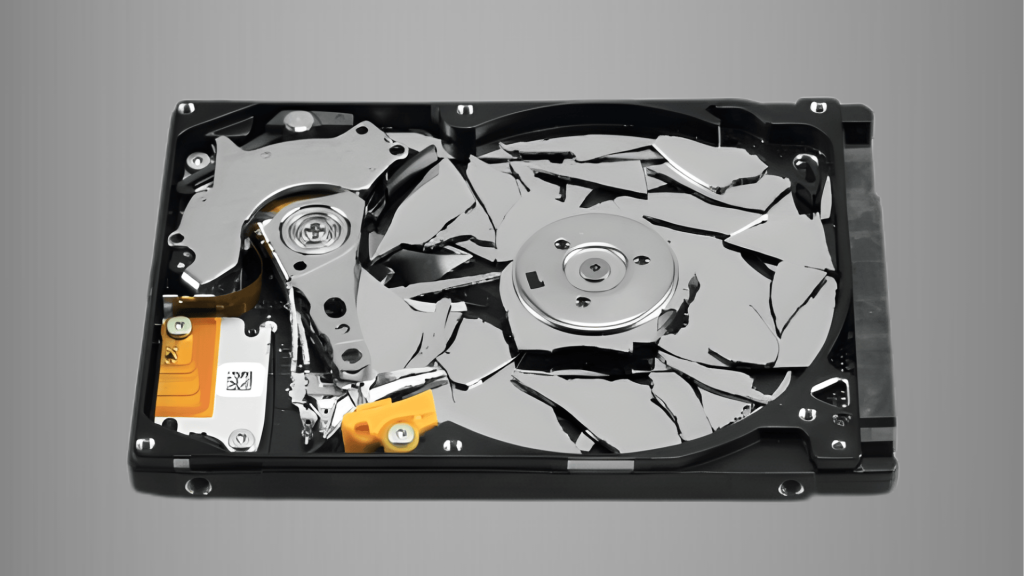
Reliable services help businesses and individuals safely dispose of storage devices without risking data exposure.
Well-known companies such as Iron Mountain, Shred-it, and Stericycle provide secure handling, certified destruction processes, and clear proof of service.
These providers often offer on-site and off-site options based on data sensitivity and volume.
Using a trusted service reduces human error, supports legal compliance, and saves time. It also ensures hard drives are destroyed using approved methods like shredding or degaussing.
Choosing an experienced provider gives peace of mind that sensitive data will not be recovered or misused after disposal.
On-Site vs Off-Site Hard Drive Destruction
This table compares on-site and off-site hard drive destruction to help users choose the right option based on security needs, control level, cost, and operational convenience.
| Factor | On-Site | Off-Site |
|---|---|---|
| Location | Destruction happens at your facility | Drives are transported to a secure facility |
| Security Control | High control with staff present | Controlled by a certified service provider |
| Data Transport Risk | No transport required | Secure transport required |
| Best For | Highly sensitive data | Large volumes and routine destruction |
| Cost Consideration | Usually higher | Often more cost-effective |
Hard Drive Destruction Compliance and Safety
It must follow both legal rules and safe disposal practices to protect data and the environment.
Many data protection laws require businesses to destroy storage devices in a way that prevents data recovery.
Keeping proper records of destruction helps during audits and legal checks. Professional services follow approved steps and provide proof that the drives were destroyed correctly.
After destruction, materials should be recycled through proper channels to reduce electronic waste.
Responsible disposal lowers environmental harm and supports safe reuse of raw materials.
By following compliance rules and eco-safe practices, businesses reduce legal risk, protect sensitive data, and handle old hard drives in a responsible and secure way.
Common Myths About Hard Drive Destruction
This section clears common misunderstandings about destruction and explains why certain beliefs can lead to data risks and unsafe disposal decisions for users.
-
Deleting Files Is Enough: Removing files or emptying the recycle bin does not erase data fully, as information can still be recovered using basic recovery tools.
-
Formatting the Drive Is Safe: Formatting only resets the file system and does not remove stored data, leaving sensitive information exposed.
-
Old Drives Hold No Value: Even outdated hard drives can store personal details, passwords, and records that may still be useful to data thieves.
-
DIY Methods Are Always Secure: Home methods like smashing or drilling may miss internal parts, allowing some data to remain readable.
-
One Method Fits All Drives: Different drives require different destruction methods, and using the wrong one can leave data at risk.
Conclusion
Proper data disposal is no longer optional for anyone handling digital information. Old storage devices can create serious risks if they are not destroyed using the right methods.
Choosing the correct approach depends on the type of data, volume of drives, and legal duties involved.
Professional services help reduce errors, provide clear records, and ensure data cannot be accessed again.
They also support safe recycling practices after destruction. Taking the time to plan destruction protects personal privacy, business operations, and customer trust.
If you are unsure which method fits your needs, speaking with a certified provider is a smart next step.
If this blog post helped you understand hard drive destruction better, leave a comment with your questions or experiences, or contact a trusted service today to secure your data properly.