When choosing between Google Nest vs Ecobee, do you want simple daily control, or do you expect deeper smart comfort decisions from your thermostat?
Both options promise comfort savings and smart control, yet each one works better for different home habits and personal comfort expectations.
You might value easy app use and Google features, while others might care more about room sensors and steady comfort control.
I’ll be telling you how these differ in features, control, comfort, and long-term value for real daily home use.
By the end, you can feel confident choosing a thermostat that better matches your space habits, budget, and comfort needs.
But before choosing, let us compare how these smart thermostats handle daily use comfort control and long-term savings together properly.
Google Nest vs Ecobee: Brief Overview
Google Nest and Ecobee represent two of the most popular brands in the smart thermostat market.
Google Nest is well-known for its sleek design and simple integration with the Google ecosystem, making it an excellent choice for those already using Google smart home products.
Its intuitive interface and ease of use have made it a favorite among users looking for a hassle-free experience.
Ecobee, on the other hand, has built a reputation for its focus on energy efficiency and home comfort.
Known for its inclusion of additional sensors, Ecobee aims to optimize temperature control throughout the home, ensuring that each room is comfortably regulated.
Both brands have earned their place as leaders in smart home technology, offering distinct features that cater to various user needs.
Note that while the Google Nest brand remains active with ongoing updates for models from 2015 onward, the original 1st and 2nd generations lost smart app connectivity in late 2025, functioning only as basic thermostats.
For the latest features, opt for current models.
Google Nest vs Ecobee: Key Differences
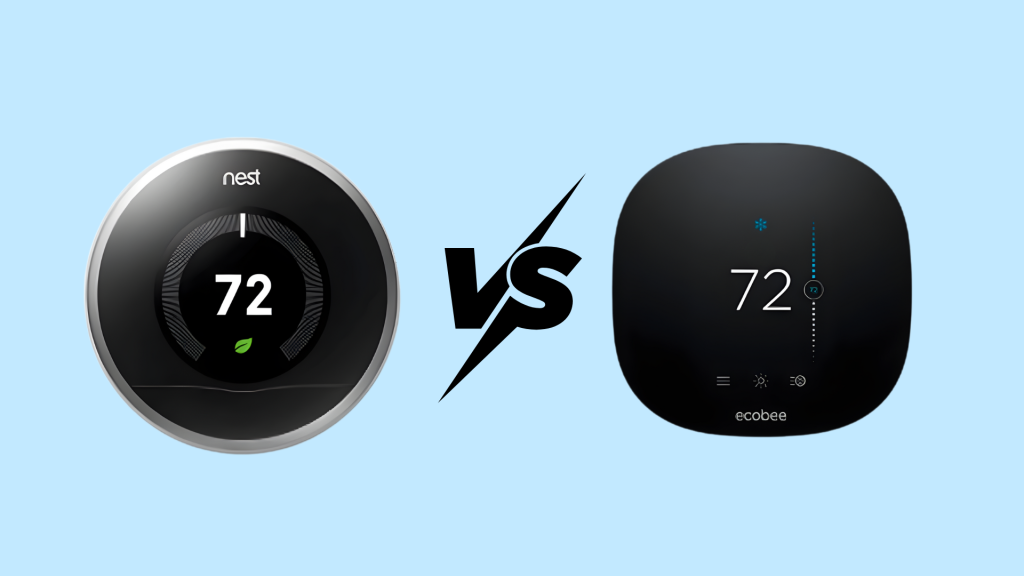
Knowing the key differences between Google Nest and Ecobee can help you choose the best smart thermostat for your home’s comfort and energy needs.
1. User Interface and App Experience
Google Nest provides a clean, simple interface that focuses on ease of use.
The app design is minimalist, with intuitive controls that allow users to adjust temperatures, create schedules, and manage settings without complication.
Ecobee, while also user-friendly, offers a more feature-rich experience, including more detailed energy-saving options and customization settings.
This may appeal to users who want more control over their thermostat’s functions.
2. Voice Assistant Integration
Google Nest integrates effortlessly with Google Assistant, offering users easy voice control through Google Home devices.
Nest’s compatibility with Google Assistant is particularly useful for those already invested in the Google ecosystem, ensuring smooth integration across devices.
On the other hand, Ecobee supports both Google Assistant, Amazon Alexa, and Siri.
This dual compatibility allows users to choose the voice assistant they prefer, offering greater flexibility, especially for households that use a mix of devices from different brands.
3. Temperature Sensors and Room-by-Room Control
Ecobee stands out with its remote sensors that include both temperature monitoring and presence (motion) detection.
It enables dynamic adjustments based on occupancy in specific rooms for precise, room-by-room comfort.
Google Nest offers compatible remote temperature sensors (included with the 4th-gen Learning model, up to 6 supported) to manage hot/cold spots by prioritizing or averaging room temperatures on a schedule.
While Nest’s approach relies more on learning habits and provides solid whole-home balance, Ecobee’s occupancy-aware sensors often deliver superior zoned control in multi-room scenarios.
4. Display Quality and Physical Controls
Google Nest is recognized for its sleek, round design and high-quality display, which is simple to read and interact with.
The interface is minimalistic and clean, with large text and easy-to-go-through options. The physical controls on Nest are based on a dial, which makes it easy for users to adjust settings manually.
This design keeps the device streamlined and modern while ensuring ease of use. Ecobee, in contrast, features a larger, full-color touchscreen display with a range of options on the screen at once.
The display is more robust, offering more information and customization options directly on the screen.
Google Nest vs Ecobee: Price Analysis
Google Nest and Ecobee smart thermostats compete closely in the USA market, balancing affordability with advanced features for energy savings.
Nest Thermostats typically range from $130 for the basic model to $280 for the premium Learning 4th Gen, offering amazing Google Home integration and AI-driven scheduling.
Ecobee’s Smart Thermostat Premium prices at $190-$260, including a remote sensor for multi-room precision and built-in air quality monitoring.
Nest provides superior value for single-zone homes in Google ecosystems, while Ecobee excels in larger spaces needing occupancy detection.
Utility rebates often reduce both to $100-$180, making Ecobee’s versatility worthwhile for comprehensive smart home setups despite the modest premium.
Google Nest vs Ecobee: Real User Feedback
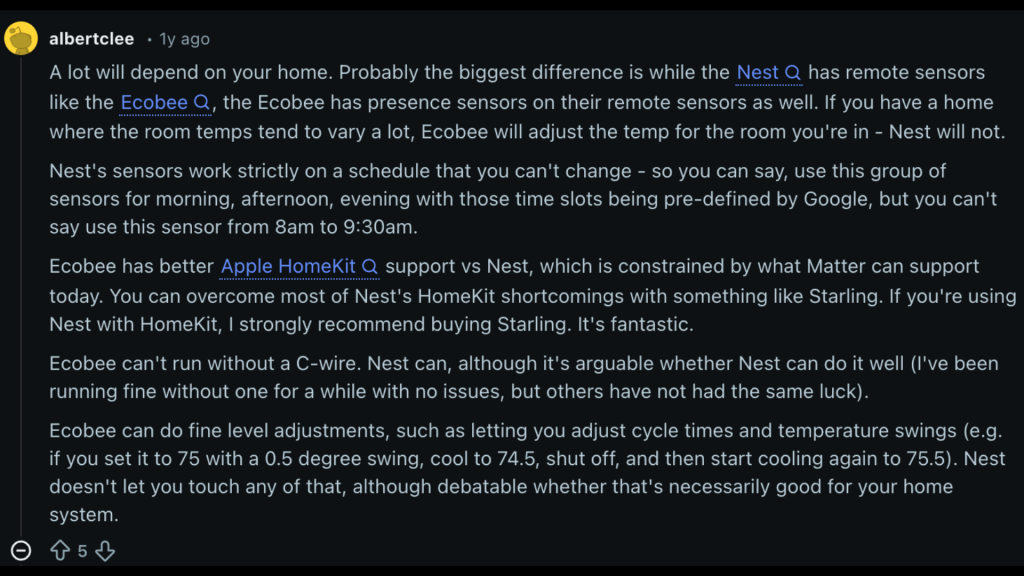
While researching on Reddit about Google Nest vs Ecobee, I came across some interesting insights.
A major difference between Google Nest vs Ecobee is how their room sensors work during daily use.
Both offer remote sensors, but Ecobee sensors can detect motion and adjust comfort based on occupied rooms.
This helps keep rooms comfortable only when someone is actually there. Nest sensors only track temperature and follow fixed time blocks like morning or evening, which many users find limiting.
Ecobee also works better with Apple HomeKit and gives more control over individual sensors. Nest relies on broader compatibility methods and offers fewer direct control options.
Power setup is another difference, as Ecobee usually needs a C wire, while Nest works without one in most homes.
Ecobee allows detailed system tuning, while Nest focuses on automatic learning. Users often prefer Ecobee for large homes and Nest for simple hands-off use.
Google Nest vs Ecobee: Quick Difference
Here’s a quick comparison of both smart thermostat brands, so that you can see what’s better in each product & their service.
| Feature | Google Nest | Ecobee |
|---|---|---|
| Presence Sensors | No | Yes |
| HomeKit Support | Limited | Better |
| C-Wire Requirement | No | Yes |
| Room-by-Room Control | Limited | Yes |
| Sensor Schedule Flexibility | Fixed time slots | Customizable |
| Temperature Adjustment | No fine adjustments | Fine adjustments available |
| Voice Assistant Integration | Google Assistant, Alexa | Google Assistant, Alexa, Siri |
| Display Type | Round, simple | Larger touchscreen |
Google Nest vs Ecobee: Which is Better for You?
When deciding between Google Nest vs Ecobee, the best choice depends on individual preferences and home setup.
Google Nest is ideal for those already using Google’s ecosystem, offering effortless integration with Google Assistant and a sleek, user-friendly design.
It’s a great option for users who prefer simplicity and automation with limited customization.
Ecobee, however, provides more flexibility, especially for larger homes with varying temperatures.
It features room sensors with presence detection, allowing more precise control over individual spaces.
Ecobee also offers better support for Apple HomeKit and allows fine adjustments to temperature swings and cycle times.
For users looking for more customization options and detailed control over their thermostat, Ecobee may be the better option.
Conclusion
Now that you’ve learned about the differences between Google Nest vs Ecobee, it’s time to decide which one is the perfect fit for your home.
Whether you prioritize smart home integration, room-by-room temperature control, or fine-tuned adjustments, both options offer unique benefits.
Your decision should ultimately reflect your needs, preferences, and the setup of your home.
Take a moment to think about what matters most to you: ease of use, flexibility, or compatibility with other devices.
Both thermostats will help make your home more comfortable and energy-efficient, but only one can be the best for you.
Ready to make your choice? Let me know in the comments which thermostat you’ll be going with and why!
Your feedback could help others in their decision-making process.