Online privacy feels harder to control today, and many people keep asking the same thing: Is Brave Browser safe for daily browsing?
I see users leaving Chrome and Firefox for reasons such as ads, trackers, and data collection, and the first name that arrives is Brave.
We’ll explain how Brave works, how it handles safety, and how it compares with Chrome and Firefox clearly in this Brave browser review.
I will be telling you whether Brave Browser is safe, how its security features work, and what real users should expect long term.
You will also learn about privacy limits, past concerns, and whether Brave fits your browsing habits without pushing opinions either way.
Before getting into details, it helps to understand what Brave Browser actually is and how it works from the moment you install it.
What is Brave Browser and How Does It Work?
Brave Browser is a free, open-source web browser released in 2016, built for users who feel tired of constant ads and tracking.
It runs on Chromium, which means most websites load normally, and many Chrome extensions also work without strange errors.
From the first launch, Brave is famous for blocking third-party ads, trackers, and hidden scripts automatically, so pages load faster and feel less cluttered.
Top features of the Brave browser that separate it from other browsers:
- Built-in privacy protection by default: Brave blocks ads, trackers, and fingerprinting automatically, so users do not need extra extensions or a complex setup to stay protected online.
- Faster page loading and lower data use: By stopping ads and trackers early, Brave loads pages much faster and saves battery and mobile data, especially on mid-range or older devices.
- Optional Brave Rewards system: Brave allows users to earn Basic Attention Tokens by choosing to view privacy-friendly ads, while still keeping full control over ad participation.
- Private browsing with Tor access: Brave includes Tor inside private windows, helping hide IP addresses without installing separate tools or changing network settings.
- Private sync without forced accounts: Device sync uses encrypted keys instead of mandatory email accounts, keeping browsing data off central servers and reducing exposure risks.
Overall, these features show how Brave focuses on privacy, speed, and user control, while still keeping everyday browsing familiar and functional.
Is Brave Browser Safe to Use?

Yes, Brave Browser is generally safe to use on all platforms (PC or mobile) because it blocks many common online risks before they ever reach your screen.
It uses the same Chromium base as Chrome, so it receives fast security patches for bugs, exploits, and known browser weaknesses.
On top of that, Brave adds extra protection by blocking trackers, sketchy ads, and phishing scripts by default without setup.
This means fewer chances for drive-by malware, fake download buttons, or silent data collection while browsing normal websites online today.
Still, no browser is perfect, and Brave can break some sites or need manual tweaks for banking, work tools, or logins.
Overall, for regular users who want fewer trackers and safer defaults, Brave is a solid and reliable daily browser choice.
Brave Browser’s Key Privacy and Security Features
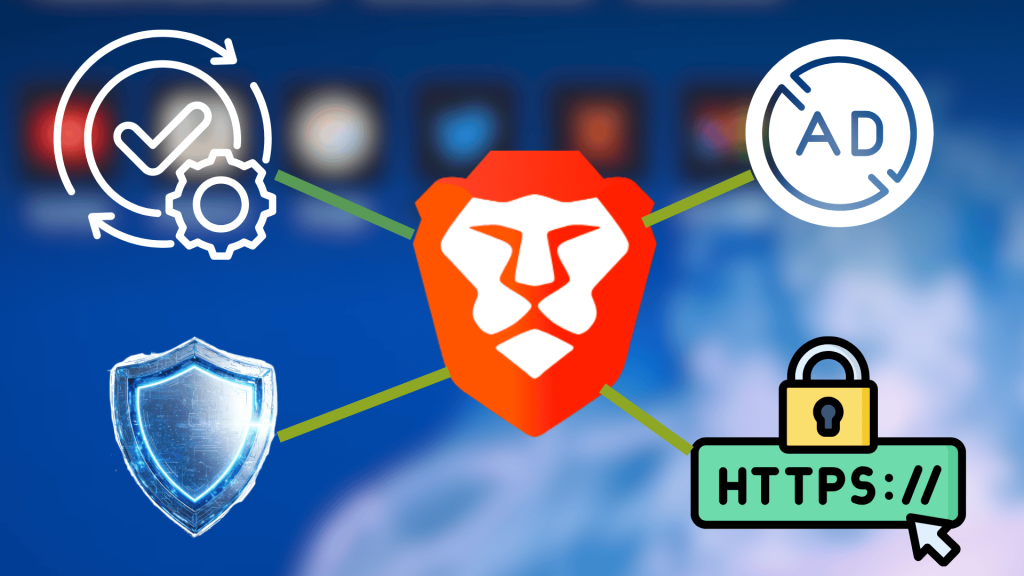
Brave includes several built-in privacy and security features that work together by default, so users do not need extra extensions or a complex setup.
1. Ad and Tracker Blocking
Brave blocks ads and trackers by default, which helps stop companies from following you across websites and collecting behavior data without asking.
This blocking happens inside the browser system itself, not through add-ons, so pages load faster, and fewer hidden scripts run quietly.
By cutting off risky ads early, Brave also lowers exposure to malware, fake download buttons, pop-ups, and shady redirects that trick users.
2. HTTPS Everywhere and Fingerprinting Protection
Brave automatically upgrades many websites to secure HTTPS connections, which helps keep login details, messages, and payment data protected on public Wi-Fi.
This reduces the risk of attackers reading or changing data while it travels between your browser and the website servers.
Brave also limits fingerprinting by changing small browser details that websites use to recognize users without cookies.
This makes long-term tracking harder and keeps browsing sessions feeling more private, even when cookies are blocked or cleared.
3. Shields, Private Windows, and Tor Integration
Brave uses a feature called Shields that lets users control trackers, scripts, cookies, and connections on each site without extra tools.
Private Windows in Brave do more than normal incognito modes by blocking trackers and clearing session data automatically after closing tabs.
For stronger privacy needs, Brave offers private tabs that route traffic through the Tor network without installing separate software or extensions.
This setup helps hide IP addresses, though speeds can drop, and some sites may show captchas or limit access.
4. Data Handling, Updates, and Malware Defense
Brave collects very little user data and does not sell browsing activity to advertisers or outside companies for profit.
Sync features use encryption, so bookmarks and settings stay protected and are not readable by Brave servers or third parties.
The browser updates automatically, pulling security fixes quickly when new threats or bugs appear in Chromium.
Brave also blocks known phishing pages and harmful downloads early, helping users avoid fake sites and infected files.
Brave Browser vs. Chrome: Security and Privacy Comparison
Brave and Chrome are both built on Chromium, but they treat user data very differently during normal browsing sessions.
Chrome is designed around Google services, while Brave removes most tracking systems and limits background data sharing by default.
- Data collection behavior: Chrome collects usage data, sync activity, and service interactions unless users manually change settings, while Brave limits this by default.
- Ads and tracker handling: Chrome allows ads and trackers unless extensions are added, while Brave blocks most ads and trackers automatically on first install.
- Security exposure: Both browsers receive fast security updates, but Brave reduces exposure by blocking risky ads and scripts before pages fully load.
After daily use, Chrome feels smoother for users tied to Google apps, while Brave feels calmer for users who want fewer trackers.
Neither browser is perfect, but Brave focuses more on privacy control, while Chrome focuses on ecosystem convenience and compatibility.
Brave Browser vs. Firefox: Security and Privacy Comparison

After looking at Chrome, Firefox is the next obvious comparison because many people see it as the privacy-friendly alternative already.
Unlike Chrome’s tight Google links, Firefox is run by Mozilla and uses a different engine, which changes how privacy and extensions behave.
- Privacy protection style: Brave blocks ads and trackers by default, while Firefox relies on tracking protection that works well but often allows more scripts.
- Extensions and control: Firefox offers strong add-on review rules, but Brave’s built-in tools reduce the need for extra extensions on fresh installs for users today.
- Advanced privacy tools: Brave includes Tor inside private windows, while Firefox focuses more on container tabs for separating activity across sites during daily use sessions.
Compared to Chrome, both feel safer by default, but choosing Brave or Firefox depends on speed needs, setup effort, and personal comfort.
Pros and Cons of Brave Browser
Every browser has upsides and downsides, and Brave is no different once daily use goes beyond first impressions.
Looking at both sides helps set realistic expectations instead of treating it like a perfect privacy solution.
| Pros | Cons |
|---|---|
| Blocks ads and trackers by default, limiting data collection without extra tools. | Strong blocking can cause site issues that need manual fixes. |
| Faster page loads and lower system usage are useful on older or weaker devices. | Built on Chromium, so it shares some browser risks with Chrome. |
| Optional BAT rewards let users earn from ads they choose to view. | Crypto features can feel confusing or unnecessary for many users. |
| Private windows with Tor offer stronger privacy than basic incognito modes. | Smaller extension ecosystem compared to Chrome or Firefox. |
| No telemetry or data selling, with audits backing privacy claims. | Sync across devices can be unreliable at times, even with encryption. |
At the end of the day, Brave works well for some habits and less well for others, depending on how much control and comfort you expect.
Major Controversies and Lawsuits Involving Brave Browser

Brave Browser has faced several public controversies over the years, mostly connected to how the company tested money-making ideas inside a privacy-focused browser.
The most talked about case happened in 2020, when users found Brave adding affiliate codes to some crypto website links without clear user notice.
Many users felt this behavior conflicted with Brave’s privacy claims, leading to strong criticism across forums, social media, and privacy-focused communities online.
Brave’s CEO, Brendan Eich, later admitted the mistake, tweeted an apology, removed the feature, explained the situation publicly, and promised clearer communication for similar features in the future.
More recently, Brave faced legal tension related to AI-based search summaries that reused news content without direct approval from publishers.
While no penalties have been confirmed yet, these situations show Brave sometimes pushes ideas fast, which can raise trust questions for careful users.
Should You Switch to Brave Browser?
Switching to Brave Browser depends on how much value you place on privacy controls that work automatically without much setup.
For many users, Brave feels calmer because ads and trackers are blocked early.
But Brave Shields are strict; sometimes, opening a specific site can cause trouble, though it can be fixed easily.
Brave’s past crypto-related issues should not be neglected, like affiliate link behavior, if you are deciding to opt for Brave as your primary browser
Today, crypto features such as BAT rewards are optional and do not affect normal browsing unless users choose to enable them.
Users tied deeply to Google services may still prefer Chrome, while those who enjoy fine-tuning may lean toward Firefox instead.
Try testing Brave alongside your current browser for a few days; it is one of the safest ways to decide if it fits your daily habits.
Conclusion
Brave Browser feels like a solid option for users who want safety without changing many settings or learning complex tools.
I see its strength in blocking trackers early, limiting data sharing, and keeping browsing calm instead of noisy and distracting.
You may still face site issues caused by strict blocking, but these can usually be adjusted without breaking daily browsing routines.
If privacy matters more to you than deep customization or tight Google service use, Brave fits comfortably into daily habits.
Before deciding, it helps to think about how much control you want versus how much setup time feels reasonable for you.
Have you tried Brave Browser or thinking of opting for it? Tell us and share your opinion with us in the comments below.